How to Pair AI Scriptwriting With a Video Editing Service
AI scriptwritingvideo editing servicescontent production workflowvideo marketing strategycontent creation efficiency


On this page
- Key Takeaways
- Start With a Repurpose-Ready Source Video
- Use AI to Generate Your Script Pack
- Turn Scripts Into a Clear Editing Brief
- Repurposing Map: One Long Video, Many Assets
- What to Look for in a Video Editing Service
- Timelines and Throughput
- The Quality Control Loop
- Distribution and Measurement
- Alternatives and When to Do It Yourself
- Start With One Video
Video content repurposing means turning one long recording, such as a tutorial or interview, into smaller pieces for different platforms. A single video might become vertical clips for Shorts, Reels, and TikTok, plus a blog post, newsletter, and carousel posts. The idea is simple. Preparing each piece takes work.
The bottleneck is often editing and packaging. Each format needs suitable framing, captions, an opening line, and a clear stopping point. Doing that by hand for every clip can consume the time you meant to spend recording.
One workable approach is to split the job. Use AI to organize hooks, key points, calls to action (CTAs), and on-screen text into a reusable Script Pack. Then hand that pack to a per-video editing service such as Tasty Edits, which accepts written briefs and supports timestamped revision comments. The workflow below covers both halves, including a handoff checklist, sample schedule, and budgeting considerations.
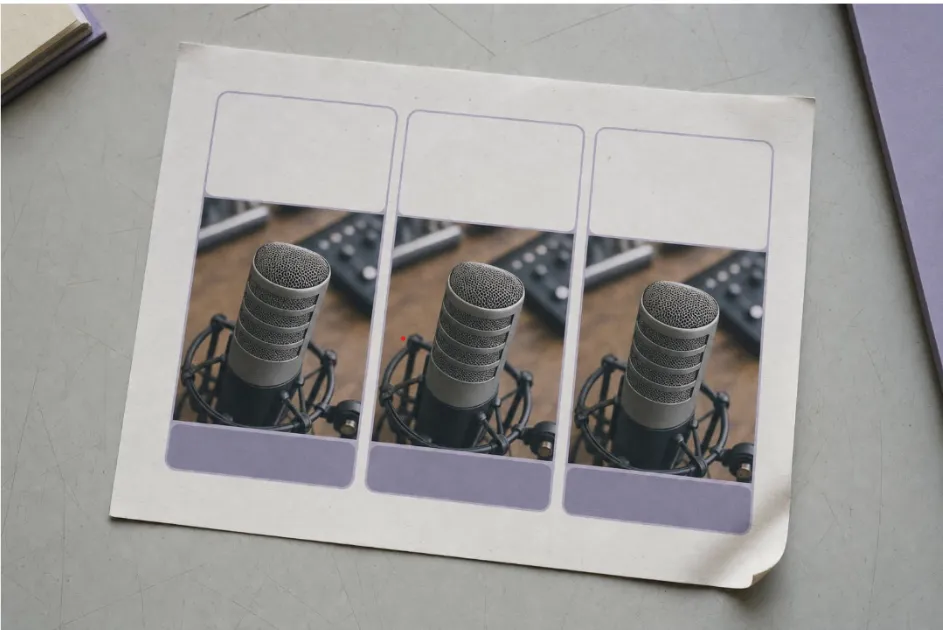
Image: Whiteboard repurposing map with arrows from one long video to vertical clips, a blog post, a newsletter, and carousels.
Key Takeaways
-
Choose footage with clear, standalone points. Strong source material makes clip selection and editing easier.
-
Give AI output a practical format. Hooks, verified timestamps, caption text, and a clear goal give an editor something concrete to work from.
-
Confirm scope as well as turnaround. Ask what starts the delivery clock, whether weekends count, and how many clips can move forward together.
-
Adapt each asset to its destination. Plan the crop, opening, captions, and length rather than exporting the same version everywhere.
-
Measure against the original goal. Reach, newsletter signups, and product-page visits answer different questions.
Start With a Repurpose-Ready Source Video
Not every long video repurposes equally well. A loosely structured livestream may require more work than a focused explainer with clear segments. Before paying for editing, choose footage with useful moments that can stand on their own.
Look for three qualities: distinct points, strong examples, and audience relevance. Demonstrations and before-and-after moments can make useful clips, but each needs enough context to remain accurate outside the full video.
Then run a six-point preflight check:
-
Goal. Are you aiming for reach or a specific action? The answer affects clip selection and CTAs.
-
Audience. Who is each clip for, and what do they already know? Beginner and expert clips may use the same footage but need different openings.
-
Transcript. Generate a timestamped transcript before scripting. It gives the writing assistant a searchable source and helps the editor locate each passage.
-
Brand kit. Put fonts, colors, logos, and rules for on-screen name labels in one folder.
-
Rights. Confirm that music, screenshots, and supplementary footage are cleared for each intended platform and use.
-
Publishing windows. Set release dates so you can work backward to a handoff date, leaving time for review.

Use AI to Generate Your Script Pack
A Script Pack is a small set of documents that turns a transcript into a plan for the assets you intend to make. Give your AI writing assistant the transcript, audience, goal, and intended platforms. Four components cover most needs.
A Hook Bank
Ask for three possible opening lines for each planned clip. A vertical clip should establish its point in the first few seconds, with on-screen text that also makes sense without sound. Longer videos have more room, but should still explain the payoff early. Choose one approved hook and save the others for later tests.
If a suggested hook wasn't spoken in the recording, label it as on-screen text or plan a new recording. Don't ask the editor to find a line that isn't in the footage.
A Content Spine
This is a time coded outline of the main points. Give each point a one-line summary, start and end times, and a note explaining whether it can stand alone as a clip. The outline tells the editor where to look and can also guide the blog post and newsletter.
CTAs Matched to the Goal
Choose a next step that fits the viewer's needs. A discovery clip might point to the full video; a detailed explanation might point to a related guide or newsletter. Use no more than one CTA per asset, and omit it when it would feel forced.
Captions and On-Screen Text
Ask for short caption lines and a few useful on-screen callouts per vertical clip. Subtitles capture the speech, while callouts highlight a key idea or number. Check that neither obscures a face, demonstration, or important detail.
Three prompt snippets to adapt:
-
Using this timestamped transcript, identify up to 8 to 12 segments of 20 to 90 seconds that could work as standalone vertical clips. Give start and end timecodes, a one-sentence summary, and any context the viewer would need. Return fewer segments if the footage doesn't support that many.
-
For each selected segment, write three opening lines for on-screen text in a 9:16 clip. Keep each under ten words. Try a question, a practical benefit, and a surprising point, without adding claims absent from the transcript.
-
Using this outline, draft a 700-word blog post and a 200-word newsletter introduction that point readers to the full video. Match the transcript's tone and flag any gaps rather than inventing details.
Check every output against the transcript and footage. AI can misread a point or assign an inaccurate timestamp. Confirm the source, remove unsupported claims, and approve the order before handing anything off.
Turn Scripts Into a Clear Editing Brief
The Script Pack holds your working options. The editing brief contains the approved decisions the editor needs. Include:
-
Time Coded outline. List the selected clips, their source timestamps, and the approved hook for each.
-
B-roll notes. Identify where supplementary footage should cover a cut, what visuals fit, and what to avoid.
-
Crop and framing. Specify 16:9 for the horizontal edit and 9:16 for verticals. Explain how to handle two speakers when both won't fit the crop.
-
Lower-third rules. State when on-screen name labels appear, which font to use, and how long they stay visible.
-
Subtitle style. Specify font, size, placement, and whether captions should be embedded in the video or delivered separately.
-
Music. Describe the mood and energy level, and identify any tracks already cleared for use.
Keep the brief, files, and feedback in one place. On its VOMA page, Tasty Edits describes its Video Order Management Application, which supports timestamped review comments and real-time chat with the editing team. Tasty Edits' long-form service page also lists daily updates, unlimited revisions, and direct messaging with editors. Whatever service you choose, confirm how comments are attached to specific moments in the draft.
Avoid Delays Before They Start
Incomplete files and scattered feedback can delay a project. Four habits help:
-
Consistent file names. Use a pattern such as project, date, camera, and take so files are easy to identify.
-
A clear folder map. Keep footage, brand assets, music, and the brief in labeled subfolders. Check access permissions before submitting the order.
-
Delivery priorities. Tell the editor which asset needs to be ready first so they can sequence the work.
-
Review windows. Reserve time to review drafts when they arrive. A fast revision service won't keep the schedule moving if feedback sits unanswered.
Repurposing Map: One Long Video, Many Assets
Here is a model package for a 20- to 30-minute recording. Treat the counts as options, not quotas. One useful clip is better than several that repeat a point or lose essential context.
Asset | Planning length | Aspect ratio | Opening promise |
|---|---|---|---|
Long-form horizontal edit | 15 to 30 minutes | 16:9 | State the outcome the viewer can expect |
6 to 12 vertical clips, if the source supports them | 20 to 90 seconds each | 9:16 | Introduce one clear point with speech and readable text |
Blog post | 600 to 1,200 words | Not applicable | Use a headline that names the problem and useful answer |
Newsletter | 150 to 300 words plus a link | Not applicable | Connect the subject line to the main takeaway |
2 to 3 carousel posts | 5 to 8 slides each | 1:1 or 4:5 | Introduce the idea, then support it with an example |
YouTube Help describes Shorts of up to three minutes, subject to its eligibility rules. That maximum isn't a target: use only the time the point needs. For Instagram, TikTok, and other platforms, confirm current upload requirements before export. Keep important text away from areas covered by interface controls.

What to Look for in a Video Editing Service
Freelancers, subscription companies, agencies, and per-video services can all support repurposing. When comparing options, evaluate a video editing service against the same brief so differences in price and delivery are meaningful.
-
Pricing that fits your volume. Per-video pricing can suit uneven publishing schedules. Compare package rates with the number of videos you actually need.
-
Published draft turnarounds. Ask when the clock starts, whether weekends count, and whether the estimate applies to your project size.
-
A clear revision policy. Confirm what revisions include, how quickly they return, and whether a change in scope costs extra.
-
Music and stock-footage access. Check that the included licenses cover your intended platforms and uses.
-
Relevant editing capabilities. Prioritize clear audio, accurate captions, and suitable graphics. Add visual effects only when they help explain the content.
-
Timestamped review and direct communication. Comments tied to the footage reduce ambiguity.
-
Batch capacity. Confirm how many edits can move forward together and whether one editor checks consistency across the batch.
-
Transparent add-ons. Ask whether thumbnails, vertical versions, and channel management are included or priced separately.
Tasty Edits offers per-video long-form and short-form editing, with vertical reformats and thumbnail design available as separate add-ons. Tasty Edits' New York location page describes bulk discounts and the capacity to edit multiple videos in parallel. Orders are placed video by video rather than through a subscription, which can suit creators whose output varies from month to month.
Add-On Explainer: What Is Priced Separately
As of September 17, 2026, Tasty Edits' pricing page lists an eight-video long-form package at $278 per video and a 30-video vertical package at $80 per clip. These are rates for those package quantities, not guaranteed prices for a single order. Use them as planning examples and confirm current rates before committing to a budget.
The same pricing page also lists thumbnail design and vertical reformats as separate $43 add-ons. Confirm what each add-on covers, especially when ordering several clips from one source. YouTube channel management is a distinct service rather than part of the edit. Budget for the extras you need instead of comparing editing rates alone.
Timelines and Throughput
As of September 17, 2026, Tasty Edits lists 48-hour long-form first drafts, 24-hour revisions, and 24-hour vertical turnarounds in its pricing and service-comparison materials. Tasty Edits also lists editor availability from Monday through Saturday. Confirm these terms for your order, including batch size and when timing begins. The schedule below is an example, not a guaranteed delivery plan.
Day | Milestone |
|---|---|
Monday | Finalize footage, transcript, and Script Pack; submit the brief and accessible files |
Wednesday | Receive the long-form first draft and return consolidated, timestamped notes |
Thursday | Review the revised long-form edit; approve it if ready and confirm any thumbnail work |
Thursday to Friday | Begin vertical edits from the approved master; review drafts according to the agreed batch schedule |
Saturday | Review vertical revisions and finish the blog post and newsletter |
Sunday | Keep a buffer for scheduling and final checks; don't assume editor availability |
Following week | Publish the long-form video, release vertical clips across the week, and send the newsletter once its destination is live |
For this workflow, approve the long-form edit before the editor builds its vertical versions. That reduces the risk of repeating audio, color, or graphic changes across several exports. Protect your own review windows, and leave room for another revision rather than scheduling publication immediately after the expected first draft.
The Quality Control Loop
Review drafts in two passes so structural issues don't get buried under small corrections.
The first pass is for the story. Watch at normal speed and check whether the opening is clear, the points follow a useful order, and the clip retains its original meaning. Note structural changes before focusing on polish.
The second pass is for presentation. Check caption spelling, audio-level changes, name-label timing, and vertical crops. Review on a phone as well as a larger screen. Combine your notes into one prioritized list, using a timestamp and a specific requested change for each item.
Set acceptance criteria before the first draft arrives. For a vertical clip, these might include a clear opening, readable captions, a complete thought, and an unobstructed subject. For the long-form edit, check that chapters match the outline, requested B-roll is present, and the end screen has room for platform overlays.
Keep measurement definitions consistent, too. YouTube changed Shorts view counting on March 31, 2025, distinguishing views from engaged views. Use the same metric and reporting window when comparing results rather than treating those figures as interchangeable.
Distribution and Measurement
Upload each video directly to its destination platform when you want it to play there. Review captions and preview the crop after upload, since interface elements can cover text that looked clear in the editing timeline.
For the long-form edit, use chapters that follow the outline and an end screen pointing to a relevant next video. Include links to related written content where appropriate. You can also repurpose transcripts into written content when the transcript supports a clear companion asset. Study retention to find where viewers leave, then check whether those moments need a clearer explanation or a tighter edit.
For vertical clips, keep the review focused. Which openings held attention? Which clips were shared or saved? Use those patterns to improve the next hook bank, while recognizing that topic and audience also affect performance.
Tie the report to the goal set during preflight. A reach-focused batch might be judged on new viewers and follows. A batch intended to prompt action might be judged on newsletter signups or product-page visits. Report those outcomes separately so a useful conversion clip isn't dismissed simply because it reached fewer people.
Alternatives and When to Do It Yourself
A per-video editing company isn't the only route. The right choice depends on your volume, budget, and preferred working relationship.
Freelancers offer flexibility and direct collaboration. As of September 17, 2026, Upwork's hiring guide cites a typical range of $10 to $60 per hour for video editors, but an hourly rate alone doesn't reveal the final project cost. Ask for an estimate against the same brief, including revisions, exports, and batch deadlines.
Editing yourself can reduce cash costs if you already have the tools, but it requires time. It makes sense when you publish infrequently, want to learn the craft, or are still developing your style.
Per-video services can suit recurring batches that need consistent presentation without a subscription commitment. They still need clear briefs and timely approvals. The Script Pack supports that handoff by separating your content decisions from the editing work.
Start With One Video
The pairing works best when responsibilities are clear. AI helps organize possible hooks, key points, CTAs, and captions. You verify the material and approve the plan. The editor then turns that plan into finished assets for each format.
A small pilot can test the workflow before it becomes a monthly commitment. Use one long video, build a Script Pack, and brief a service such as Tasty Edits against a defined asset list. Allow time for revisions, then review both the published results and the effort involved in the handoff. Those lessons will show what to change before increasing the volume.
Related Articles
 AI image editingFilling the Gaps: How AI Image Editing Fits Into a Modern Content WorkflowStruggling with content bottlenecks? Discover how AI image editing tools streamline your creative workflow, save time, and elevate your visual storytelling.Hitesh Kumawat6 min read
 automate content creationHow to Automate Content Creation: A Step-by-Step Guide for Marketing TeamsLearn how to automate content creation while maintaining brand authority. Build a high-velocity workflow that empowers your marketing team to focus on strategy.Ankit Agarwal6 min read
 AI content creation softwareHow to Choose the Right AI Content Creation Software for Your Specific NicheStop the AI tool fatigue. Learn how to select the right AI content software for your niche by prioritizing Human-in-the-Loop workflows and consolidated tools.Deepak Gupta7 min read
 automate content creationHow to Automate Content Creation: The Ultimate Guide for Marketing TeamsStop manual busywork. Learn how to build an orchestrated content ecosystem that scales output while keeping human creativity at the center of your strategy.Ankit Agarwal3 min read