AI Is Quoting Your Old Pricing: How to Correct It
pricingbrand reputationAI searchtechnical SEO

On this page
- Step 1 — Write down the one current price record
- Step 2 — Find every surface that states a price
- Step 3 — Decide what happens to each page
- Step 4 — Make the current price readable, dated and consistent
- Step 5 — Get third-party pages corrected
- Step 6 — Tell Google which pages changed
- Step 7 — Re-test, and log whether the answer cited anything
- How This Guide Was Sourced
- Frequently Asked Questions
- Related reading
An assistant quoting your old price is almost always reading a page that still states it. So the correction is an inventory job, not a message to the AI company: find every surface that still carries a price, update, redirect, remove or date each one, make the current price readable as plain text, then tell Google what changed and re-test. Seven steps, in the order that wastes the least effort.
This is the operational follow-up to 7 reasons AI describes your product wrong, which explains why stale prices win, and AI misinformation about your brand, which covers what providers do and do not document. Google tool names and behaviour here are as documented on 2026-09-17.
Key Takeaways
- Retrieval is conditional, and it reads pages. Google's API documentation describes the model deciding "if a Google Search can improve the answer" (Gemini API grounding documentation, retrieved 2026-09-17).
- Redirects are a canonical signal, not just navigation. Google treats a permanent redirect as "a signal that the redirect target should be canonical" (Google Search Central, redirects, retrieved 2026-09-17).
- A recrawl request is not a deadline. Google says crawling "can take anywhere from a few days to a few weeks" and guarantees nothing (Ask Google to recrawl your URLs, retrieved 2026-09-17).
- Refresh Outdated Content is for pages you do not own, and only once the old content is actually gone from them (Search Console Help, retrieved 2026-09-17).
- Markup does not buy AI visibility. Google: "There's also no special schema.org structured data that you need to add" (AI features and your website, retrieved 2026-09-17).
Step 1 — Write down the one current price record
Before touching any page, write the record every other page will be checked against: plan names, price per billing period, currency, what each plan includes, whether a free plan or only a trial exists, and the date the pricing took effect.
It sounds like admin. When we re-read every price in our own round-ups, roughly half were wrong and plan names had gone stale faster than the numbers (half the prices in our round-ups were wrong, ANALYSIS). Corrections made from memory repeat that error.
Step 2 — Find every surface that states a price
The page carrying your old price is rarely your pricing page. Log each URL with the price it states and the date you found it.
| surface | where the old price hides | how to find it |
|---|---|---|
| Your pricing page | Old tiers still rendered, annual/monthly mismatch | Read it against the Step 1 record |
| Your blog | Launch posts, "new plans" announcements, comparison posts | Search your CMS for the currency symbol and each retired plan name |
| Help centre and docs | Plan-limit articles, billing FAQs | Same search, separately — docs often sit on another platform |
| Changelog and release notes | Historical price changes | Keep, but date them (Step 3) |
| PDFs and slide decks | One-pagers, sales decks, media kits | Search your site for PDFs by filename and title |
| Landing pages | Old campaigns never unpublished | Your sitemap |
| App store and marketplace listings | Listing descriptions you wrote years ago | Each store's own console |
| Partner, reseller and integration pages | Pricing copied at signing | Ask each partner for their live URL |
| Directories and review sites | Profiles populated once and never revisited | A web search for your brand name plus your old price and plan names |
| Web archives | Snapshots of old pricing | Usually leave alone — see Step 5 |
Search for retired plan names before anything else. A retired name almost only appears where something is out of date (ANALYSIS).
Step 3 — Decide what happens to each page
Every URL gets one of four outcomes, depending on whether the page still has a job to do.
| the page is | do this | why |
|---|---|---|
| Still useful, price is incidental | Update the price in place, and the visible "Last updated" date | Keeps the URL and its links |
| Obsolete, replaced by a current page | Permanent redirect (301 or 308) to the current page | Google treats a permanent redirect as "a signal that the redirect target should be canonical" (SOURCED, linked above) |
| Obsolete, no equivalent | Remove it, returning 404 or 410 | Google's Removals help lists returning "a 404 (Not Found) or 410 (Gone) HTTP status code" as a way to remove a page permanently (Removals tool help, retrieved 2026-09-17, SOURCED) |
| Historical record you must keep | Date it with a line at the top pointing to current pricing, or add noindex | A 2023 launch post is true about 2023; it only misleads undated |
Two traps in the noindex route. Google states that for noindex to work the page "must not be blocked by a robots.txt file", because Googlebot cannot read a rule on a page it is not allowed to crawl. And it warns it "may take months for Googlebot to revisit a page" depending on the page's importance (Block Search indexing with noindex, retrieved 2026-09-17, SOURCED).
Avoid silently editing an old announcement to show today's price. It makes the post false about its own date; a dated note does the same job honestly (ANALYSIS).
Step 4 — Make the current price readable, dated and consistent
Plain text in the page. Google's guidance for its AI features includes making sure that "important content is available in textual form" (AI features and your website, retrieved 2026-09-17, SOURCED). In our own pricing audit, several vendors rendered prices in the browser rather than in the page, and our automated check could not read them (ANALYSIS).
A visible, honest date. Google recommends labelling dates "with text like 'Publish' or 'Last updated'" and ensuring the date matches "between the equivalent user-visible and structured values" (Influence your byline dates, retrieved 2026-09-17, SOURCED). In your sitemap, Google uses <lastmod> only "if it's consistently and verifiably" accurate (Build and submit a sitemap, retrieved 2026-09-17, SOURCED).
Markup that matches the text. Google's structured data policies say to "provide up-to-date information" and not to mark up content that is not visible (structured data general guidelines, retrieved 2026-09-17, SOURCED). Be careful with priceValidUntil: Google's merchant listing documentation warns "your listing may not display if the priceValidUntil property indicates a past date" (merchant listing structured data, retrieved 2026-09-17, SOURCED). A subscription price with no end date should not carry one (ANALYSIS).
Google's SoftwareApplication rich result also requires a rating or review property (software app structured data, retrieved 2026-09-17, SOURCED) — do not invent one to qualify. And since Google needs no special markup for its AI features, treat markup as correctness, not a lever (why Google removed the FAQ rich result).
Step 5 — Get third-party pages corrected
- Directories, review sites, partners. Email the editor with the page URL, the wrong figure quoted exactly, the correct figure, and a link to your dated pricing page. Log when you asked.
- Marketplaces and app stores. Usually yours to edit in the store's console, and easy to forget.
- Web archives. The Internet Archive accepts exclusion requests by email and says it does "not make any guarantees beforehand about the outcome of a request" (Internet Archive Help Center, retrieved 2026-09-17, SOURCED). A snapshot is a true record of a past page; spend effort here only if one is actually being cited (ANALYSIS).
Where a publisher will not update, the only option left is making your own dated page the more retrievable one.
Step 6 — Tell Google which pages changed
Pages you own. Use the URL Inspection tool for individual URLs and a sitemap for many. Google notes "there's a quota for submitting individual URLs" and that repeat requests will not speed things up; crawling "can take anywhere from a few days to a few weeks", and a request "does not guarantee" inclusion (Ask Google to recrawl your URLs, retrieved 2026-09-17, SOURCED). For an old price still showing in a search snippet, the Removals tool's Clear snippet in search option wipes the description "until the page is indexed again" (Removals tool help, retrieved 2026-09-17, SOURCED).
Pages you do not own, after they are fixed. Google's Refresh Outdated Content tool is for when "you do not own the web page" and the page "no longer exists or is significantly different". It is not for pages that still carry the content you think is wrong (Refresh Outdated Content, retrieved 2026-09-17, SOURCED). So the order is: get the publisher to correct it, then file the refresh.
Limits. Google states the Removals tool "removes content only from Google Search" (Removals tool help, retrieved 2026-09-17, SOURCED). We did not review other search engines' documentation and make no claim about them.
Step 7 — Re-test, and log whether the answer cited anything
Re-run the same buyer questions with the same session conditions, using the method in how to find out what ChatGPT says about your company. For each answer, record the price quoted and the page it cited.
- Wrong price, cited page: that page is back on your Step 2 list.
- Wrong price, no citation: likely recall rather than retrieval. No provider we checked documents a correction route for that, and no amount of recrawling reaches it.
- Right price: log the date and re-check after the next pricing change.
We found no provider documentation giving a timeline for when a corrected page starts appearing in answers. Plan in weeks.
How This Guide Was Sourced
Written and maintained by the LogicBalls editorial team (logicballs.com).
AI involvement. This post was AI-assisted. Every quoted line was checked against its fetched source page on 2026-09-17, and every link was resolved before publication.
Disclosure: LogicBalls builds AI writing tools. Nothing in this procedure needs one — it is a spreadsheet, your CMS search and Search Console.
Sources. Google's Gemini API grounding documentation; Google Search Central on redirects, noindex, recrawling, sitemaps, byline dates, structured data and AI features; Search Console Help on Removals and Refresh Outdated Content; the Internet Archive Help Center. All retrieved 2026-09-17 and linked inline. Our pricing-error rate is from our own published audit and marked ANALYSIS.
What could not be verified. OpenAI's help documentation has returned HTTP 403 to our automated requests, so no claim here is sourced to OpenAI material. We found no provider documentation describing when, or whether, a recrawled page replaces a stale one in assistant answers. The recrawl steps are Google-only; we did not review other search engines' documentation.
What is not claimed. We publish no measurement of how often assistants quote outdated prices, and no figure for how long a correction takes to appear.
No LogicBalls telemetry is used in this guide.
Frequently Asked Questions
Can I ask the AI company to update our price?
No provider we could check documents a route for correcting a company fact. Fix the pages retrieval reads instead — that is the correction channel that exists.
Will adding priceValidUntil stop old prices being used?
No. It marks when one offer ends and retires nothing else, and Google warns a past date can stop a merchant listing displaying.
We fixed the page but the old price still shows in Google. Why?
Google has not recrawled it yet. Request indexing once, use Clear snippet in search if the snippet is the problem, and allow days to weeks. Repeat requests do not speed it up.
Related reading
Related Articles
 brand reputation9 Places AI Gets Your Company Facts From (And How to Fix Each)The nine sources an assistant can draw a company fact from, what each provider documents about how it reaches a model, and which ones you can change — sorted by how much control you have.Ankit Agarwal13 min read
 brand reputationThe Canonical Facts Page: One Page That Gives AI Something to CiteThe 14 fields that belong on a canonical facts page, how to date and maintain it, where to link it from, and the one thing it cannot do.Ankit Agarwal12 min read
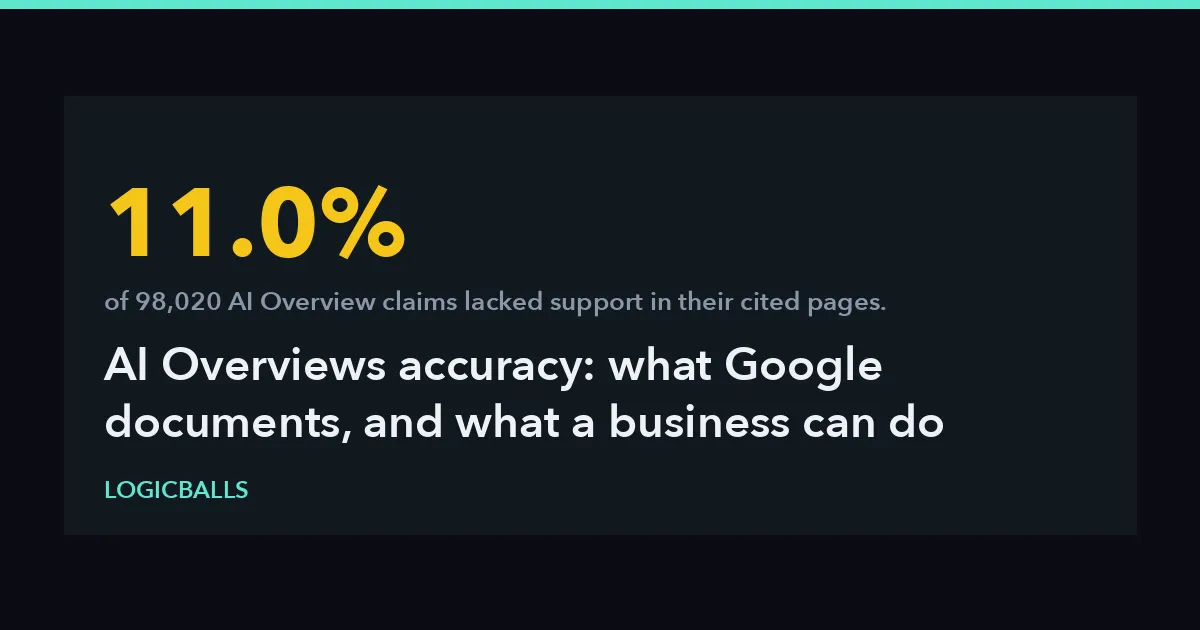 AI OverviewsAI Overviews Accuracy: What Google Documents, and What a Business Can Do When It Is WrongGoogle says AI Overviews can and will make mistakes. What its own documentation names as failure modes, what a 98,020-claim study measured, and the routes a business actually has.Ankit Agarwal10 min read
 brand reputation40 Prompts to Check What AI Says About Your BrandForty copy-paste prompts for auditing what AI assistants say about your company — identity, pricing, capabilities, buyer questions that never name you, and false-premise probes.Ankit Agarwal10 min read