5 AI Image Editing Tasks That No Longer Require Photoshop
AI image editingPhotoshop alternativesautomated photo editingAI design toolsphoto editing hacks


On this page
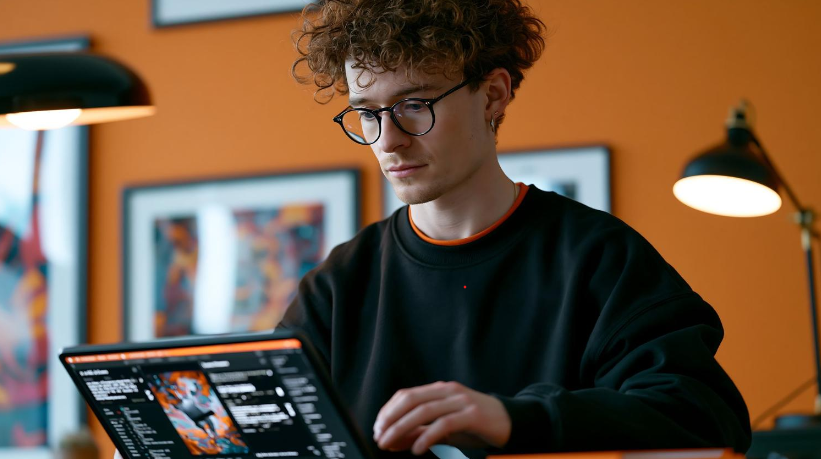
Photo by Luke Jones on Unsplash
For years, even relatively simple image edits could mean opening professional editing software, navigating layers and masks, and spending time learning tools that occasional users rarely needed. Removing an awkward object from a photograph or cleaning up a background might take only a few minutes for an experienced designer, but the learning curve made the same job much more complicated for everyone else.
AI-powered image tools have changed that workflow. Many routine editing jobs can now be completed through a browser with automated tools that recognize subjects, understand parts of a scene, and make targeted changes with minimal manual input. Professional software still has an important role when precise creative control is required, but these five everyday tasks demonstrate how much image editing can now happen without opening Photoshop.
1. Removing Unwanted Objects From a Photo
A good photograph can easily be spoiled by one distracting element. It might be a stranger walking through the background, a trash can beside an otherwise attractive building, a cable across the floor, or an unwanted sign behind a product. Traditionally, removing these elements required carefully selecting them and reconstructing the area they covered.
AI makes the process considerably more accessible. Modern removal tools can analyze surrounding pixels and generate replacement content that attempts to continue nearby textures, surfaces, lighting, and patterns. Instead of manually cloning small sections of the photograph, the user can often identify the unwanted object and allow the software to rebuild the space.
Results still depend heavily on the image. Removing a small object from a simple wall is much easier than reconstructing part of a person's face or a complex architectural feature. Every result should therefore be inspected carefully rather than assuming automated editing will always be invisible.
2. Separating a Subject From Its Background
Cutting a person, product, pet, or other subject away from a background used to be one of those jobs where attention to detail mattered enormously. Hair, fur, transparent objects, shadows, and irregular edges could turn a seemingly simple selection into a lengthy editing session.
AI background detection can now perform much of that initial work automatically. The software analyzes the image, identifies the primary foreground subject, and separates it from the surrounding scenery. The isolated subject can then be placed against transparency or incorporated into another design without tracing its entire outline manually.
For quick projects, users can clear photo backgrounds with this tool and then adapt the isolated subject for product photography, presentations, profile images, promotional graphics, or social media content. Automated background removal is especially convenient when consistency matters across multiple images but manually drawing selections would take too much time.
Difficult edges still deserve inspection. Fine hair, fur, reflective surfaces, transparent objects, and areas where the subject has similar colors to the surroundings can challenge automated detection. AI can eliminate much of the repetitive work, but a quick visual check remains important before the finished image is published.
3. Expanding and Reframing Images for Different Formats

Photo by Zulfugar Karimov on Unsplash
A photograph that works perfectly for one platform may be completely unsuitable for another. A wide landscape image might need to become a vertical social post, while a square product photograph may need additional horizontal space for a website banner.
The traditional solution was usually cropping. Unfortunately, cropping can remove important parts of the composition. If a person already fills most of the frame, converting the photograph to a dramatically different aspect ratio may be impossible without cutting off part of the subject.
Generative image expansion provides another option. AI can extend the canvas beyond the original boundaries and create additional scenery based on the visual information already present. A wall can continue farther to one side, a landscape can become wider, or additional space can appear above a subject for a headline or other design element.
This capability can be particularly useful when one original asset needs to work across several channels. Marketing teams frequently require versions of the same visual for websites, newsletters, advertisements, presentations, and social networks, each with different dimensions.
Generated areas should always be inspected carefully. For an additional verification step, an AI image detector can help determine whether a visual is likely AI-generated or manipulated before it is published or reused. Repeated textures, distorted architectural details, unusual shadows, or objects that do not make logical sense can reveal an unsuccessful expansion. AI makes reframing more flexible, but the final composition still requires human judgment.
4. Improving Images That Look Dull or Poorly Balanced
Not every weak photograph requires complicated retouching. Sometimes the composition and subject are perfectly usable, but poor lighting, low contrast, muted colors, or insufficient sharpness prevents the photograph from looking its best.
AI enhancement tools can analyze these characteristics and make several adjustments automatically. Instead of individually changing exposure, contrast, color balance, and sharpness, a user can begin with an automated correction and then evaluate whether the result genuinely improves the original.
This can save considerable time when working with large groups of images. An online retailer preparing dozens of product photographs, for example, may need a consistent appearance across the entire catalog. Content teams may face a similar challenge when updating years of older photographs for a redesigned website.
Automation should not become an excuse for excessive editing. Aggressive sharpening can introduce unnatural edges, while extreme color adjustments can make products or environments look substantially different from reality. Portrait enhancement can also become distracting when skin texture and facial features are altered too heavily.
The best results usually come from treating AI enhancement as correction rather than transformation. The objective is to address obvious technical weaknesses while retaining the qualities that made the original photograph useful.
5. Creating New Backgrounds Without Another Photo Shoot
Once a foreground subject has been isolated, generative AI creates possibilities that extend far beyond simply leaving the background transparent. New environments can be generated around an existing subject, allowing one photograph to support several different visual concepts.
A furniture company, for example, might photograph a chair once and experiment with different interior settings around it. A portrait could be adapted for several graphic layouts, while a product photographed against a simple studio backdrop could potentially appear in seasonal campaign imagery.
This can make creative experimentation faster. Instead of arranging an entirely new photo shoot simply to test an idea, designers can create visual concepts first and determine whether they are strong enough to justify additional production. Smaller teams can also produce variations without immediately needing new locations, props, sets, or studio time.
Accuracy becomes particularly important with commercial imagery. Generated backgrounds should not create a misleading impression of product dimensions, included accessories, functionality, or real-world appearance. Lighting and shadows also need to make visual sense if the finished composition is intended to look realistic.
Professional image-editing software is therefore far from obsolete. Detailed compositing, advanced retouching, exact color work, print production, and projects requiring pixel-level control can still justify a full professional editing environment.
Related reading
Related Articles
 AI image editingFilling the Gaps: How AI Image Editing Fits Into a Modern Content WorkflowStruggling with content bottlenecks? Discover how AI image editing tools streamline your creative workflow, save time, and elevate your visual storytelling.Hitesh Kumawat6 min read
 AI writing assistantThe Student's Guide to Writing Research Paper Abstracts That Get ReadLearn how to write research paper abstracts that get read. Discover tips on structure, clarity, and using ai writing tools to improve your academic work.Hitesh Kumar Suthar6 min read
 photo editingAirBrush Background Remover: Free Limits, Pricing and Video SupportWhat AirBrush's background remover actually does, what the free tier allows, what the paid plans cost, and the exact limits on its separate video background remover.Ankit Agarwal7 min read
- ai humanizerBeyond Automated Writing: How AI Humanizers Are Reshaping Digital CommunicationAI drafts are fast but often generic. See how AI humanizers help business, marketing, support, education and freelance writers refine tone and readability.Ankit Agarwal6 min read