How to Turn AI Meeting Notes Into a Verifiable Decision Log
AI meeting notesdecision logmeeting transcriptionAI transcription

On this page
- Why a Summary Is Not a Decision Log
- Separate Four Types of Statements
- Build Each Decision Entry Around Evidence
- Use the Transcript as a Checkable Source
- Verify High-Risk Details Manually
- Preserve Disagreement Rather Than Smoothing It Away
- Keep Decisions and Actions Connected
- Assign a Human Approver
- Use a Consistent Decision-Log Template
- Make AI Notes Verifiable
A meeting summary can tell readers what was discussed, but it does not always show what the group actually decided. Proposals, objections, tentative agreements, and confirmed commitments may all appear in the same conversation. If they are compressed into a few polished bullets, important distinctions can disappear.
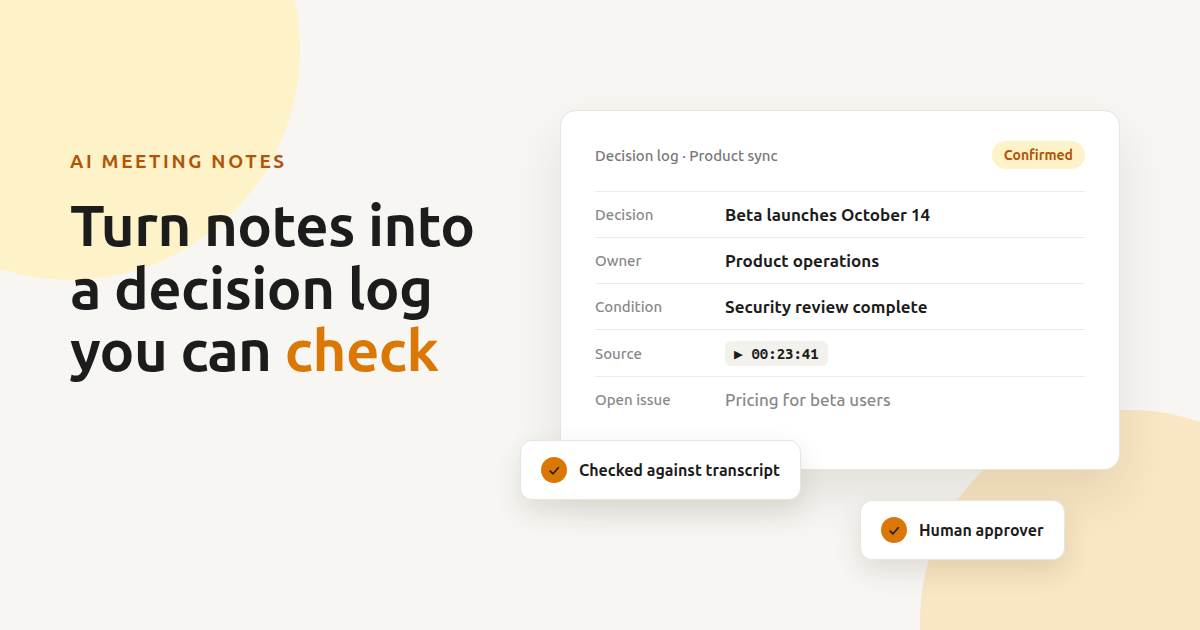
A reliable decision log solves a different problem. It records the outcome, the people responsible, the conditions attached to it, and the place in the conversation where it was confirmed. The objective is not to preserve every spoken word. It is to create a concise record that can still be checked against the source.
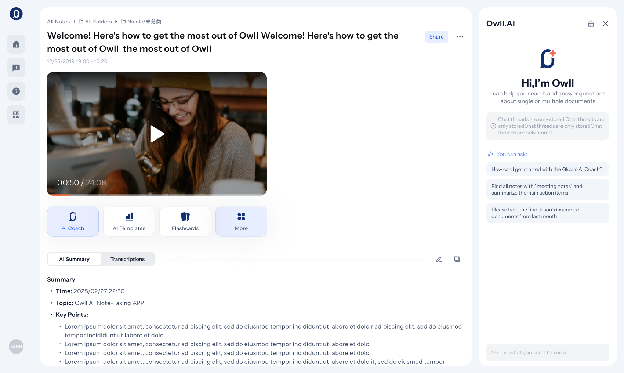
Teams can begin with AI transcription software such as Owll, which converts recorded conversations into timestamped, speaker-labeled text and produces summaries and action items. That output provides useful source material, but names, numbers, commitments, and final decisions should still be reviewed before the record is shared.
Why a Summary Is Not a Decision Log
Meeting summaries are designed for quick reading. They condense discussion, group related ideas, and remove repetition. Those qualities make them useful, but they can also conceal the path from a suggestion to an approved decision.
Consider these statements:
- “We could launch the beta on October 14.”
- “October 14 works if the security review is complete.”
- “Let us confirm the date after Friday’s test.”
- “The beta will launch on October 14.”
Only the final statement clearly confirms the launch date. The other statements represent an option, a condition, and a pending decision. A summary that turns all four into “Beta launch scheduled for October 14” would overstate what the meeting established.
A decision log should therefore preserve status, not merely subject matter.
Separate Four Types of Statements
Before extracting decisions, classify important statements into four categories.
Confirmed Decisions
These are outcomes that an authorized participant explicitly accepts. A confirmed decision should answer what will happen and, when relevant, under what conditions.
Examples include approving a campaign concept, choosing a supplier, changing a project deadline, or rejecting a proposed feature.
Proposed Options
A proposal is not a decision. Phrases such as “we could,” “one option is,” and “what if we” usually indicate that an idea remains under consideration.
Keeping proposals separate prevents absent colleagues from treating brainstorming as an instruction.
Open Questions
Some discussions end without resolution. The unresolved issue may require more data, legal review, customer feedback, or approval from someone who was not present.
An open question is a valid meeting outcome. Recording uncertainty accurately is better than manufacturing a conclusion for the sake of a tidy summary.
Action Items
An action item describes work that someone needs to perform. It may support a decision without being a decision itself.
For example, “Priya will compare the two suppliers by Thursday” is an action item. The supplier selection remains open until the comparison is reviewed and a choice is confirmed.
Build Each Decision Entry Around Evidence
A useful decision entry should contain enough information to be understood without replaying the entire meeting.
Include:
- Decision: A plain-language description of the confirmed outcome
- Owner: The person accountable for carrying it forward
- Date confirmed: When the decision was made
- Effective date or deadline: When it takes effect or when related work is due
- Conditions: Any approval, test, budget, or dependency attached to it
- Rationale: The main reason given during the discussion
- Source reference: A timestamp or transcript location
- Related actions: Tasks created as a result
- Open issues: Questions that remain unresolved
Do not fill empty fields by inference. If no owner was assigned, write “owner not assigned.” If the deadline was discussed but not confirmed, record it as pending.
This approach may look less polished than an automatically completed form, but it is more trustworthy.
Use the Transcript as a Checkable Source
An AI meeting recorder can retain the full conversation alongside a structured recap. Owll supports online meetings on Zoom, Microsoft Teams, and Google Meet, as well as recordings from in-person meetings and phone calls. Keeping the source transcript available allows reviewers to return to the relevant exchange instead of relying on memory.
The transcript should not be treated as infallible. Speech recognition can mishear names, technical terms, abbreviations, or speakers who talk over one another. Poor audio and background noise may introduce additional errors.
For each important decision, return to the relevant timestamp and check:
- Whether the wording was affirmative or tentative
- Whether the correct speaker was identified
- Whether another participant added a condition
- Whether the decision was later revised
- Whether the recorded owner and deadline were explicitly confirmed
The last clear statement on a topic may supersede an earlier agreement. Reviewing isolated excerpts without checking what followed can therefore produce the wrong result.
Verify High-Risk Details Manually
Not every sentence requires the same level of attention. Prioritize details that could create financial, legal, operational, or reputational problems if recorded incorrectly.
Names and Ownership
Confirm who accepted responsibility. Similar names, unclear pronouns, or rapid speaker changes can result in an action being assigned to the wrong person.
Dates and Time Zones
“Next Friday” may be ambiguous when notes are reviewed later. Convert relative dates into calendar dates after confirming the meeting date. For international teams, record the relevant time zone.
Numbers and Commercial Terms
Manually check prices, budgets, percentages, quantities, account numbers, and performance targets. A single incorrect digit can change the meaning of a commitment.
Negative Statements
Words such as “not,” “unless,” and “except” carry disproportionate importance. “We will launch” and “We will not launch” differ by only one word but require opposite actions.
Technical and Industry Language
Product names, acronyms, code names, medical terms, and specialized vocabulary should be compared with approved internal references. AI transcription may produce a plausible common word instead of the correct specialist term.
Preserve Disagreement Rather Than Smoothing It Away
AI-generated summaries often favor clear, concise outcomes. Real meetings are not always clear.
Suppose two department heads support different approaches and the chair postpones the choice. A responsible record should state that no final decision was reached, briefly identify the alternatives, and note what information is needed next.
It should not merge the competing views into a compromise that nobody approved.
A useful entry might read:
Status: Pending
Question: Whether to build the reporting feature internally or use a third-party platform
Next step: Finance and engineering will compare total cost and implementation time
Review date: November 18
Final approver: Product director
This is actionable without pretending that the meeting produced a decision.
Keep Decisions and Actions Connected
A decision without follow-through becomes difficult to manage. An action item without context becomes difficult to prioritize.
Link each task to the decision or open question that created it. This helps team members understand why the work matters and prevents unrelated tasks from accumulating in a generic to-do list.
For example:
| Decision or question | Action | Owner | Due date | Status |
|---|---|---|---|---|
| Select a customer support platform | Compare security and integration requirements | Maya | November 12 | In progress |
| Approve revised onboarding flow | Test with five new users | Daniel | November 15 | Not started |
| Launch date confirmed for December 2 | Prepare release checklist | Product operations | November 25 | In progress |
If a decision changes, update the connected actions rather than leaving outdated tasks active.
Assign a Human Approver
The person who prepares the log does not always have the authority to confirm its contents. Establish an approval rule before the meeting.
For routine team meetings, the chair or project owner may review the record. For client calls, the account lead may need to confirm commercial commitments. Executive, legal, or regulated discussions may require a more formal review process.
The approver should check the log against the transcript, correct uncertain details, and explicitly mark the record as reviewed. This creates a clear boundary between AI-generated assistance and organizational authorization.
Participants should also know when a meeting is being recorded. Consent and notification requirements vary by jurisdiction and organizational policy, so teams should establish an appropriate recording procedure before using any meeting assistant.
Use a Consistent Decision-Log Template
A reusable template makes records easier to scan across projects.
Meeting Details
- Meeting title:
- Date:
- Participants:
- Chair:
- Record reviewed by:
Confirmed Decision
- Decision:
- Owner:
- Effective date:
- Conditions:
- Rationale:
- Transcript reference:
Resulting Actions
- Task:
- Assignee:
- Deadline:
- Status:
Unresolved Issues
- Question:
- Information required:
- Person responsible:
- Review date:
The template should remain concise. Its purpose is to preserve decisions and their evidence, not to reproduce the meeting.
Make AI Notes Verifiable
AI can reduce the mechanical work of recording, transcribing, and organizing a conversation. It cannot determine which participant had authority, whether a tentative statement became binding, or whether an apparently clear conclusion accurately represents the group’s intent.
Owll can provide the transcript, summary, speaker labels, and action-item suggestions that support a decision-log workflow. The team still needs to classify statements, verify consequential details, preserve disagreement, and assign a human approver.
The most useful meeting record is not the one that sounds the most complete. It is the one colleagues can check, understand, and act on without mistaking an AI-generated interpretation for a confirmed decision.
Related Articles
- meeting notesHow to Automate Meeting Notes and Follow-Ups With AIUse your meeting app's built-in AI for notes, then a Lindy routine to push action items into ClickUp and draft follow-ups you approve before they send.Hitesh Kumawat10 min read
 How to Turn One AI Image Into a 30-Second Video Without Losing the FaceA step-by-step method for extending a single still into thirty seconds of video while keeping the subject recognizable, from source image to final stitch.Hitesh Kumar Suthar9 min read
- 10 Benefits of Integrating AI Tools into Your Business OperationsMany companies are experimenting with AI tools but are not integrating them into their business operations. When you integrate AI tools into business operJames Smith5 min read
 AI scribingInnovations in AI Scribing TechnologyExplore the latest innovations in AI scribing technology, transforming content creation with automated transcription, summarization, and drafting. Discover the benefits, challenges, and future trends.Hitesh Kumawat6 min read