How To Get Maximum Benefit from Online Paraphrasing Tool
 Ankit AgarwalMarketing Head
Updated 6 min readHow we fact-check
On this page
 In this digital era where everyone wants to save time, no one can take an hour to manually paraphrase a text or a research paper. Technology has evolved to a great extent as AI is assisting humans in several tasks just like it is doing in writing. According to Authority Hacker, 85.1% of people use AI for assistance in their writing purposes. It must have happened to you that sometimes you feel like any text or phrase in your writing is vague. You feel it can be made better, but you do not know how to do that. It might have also happened that you want to enhance the readability or streamline your content, but you are unable to do that. Buckle up with me as later in this article I will tell you proven strategies to overcome all these common queries everyone has in mind.
Find The Right Paraphrasing Tool
A paraphrasing tool can be used to solve these issues easily, but who knows which tool is best to use and works fine? There are several tools available online but not all of them are appropriate to be used. A lot of tools might lack some major features and can result in inaccurate output. It's better to research and find the right one that suits your needs. While finding the tool you must include the following points in consideration:
- User-friendly interface
- Ensures accuracy
- Have multiple rephrasing modes
- In-built grammar checker
- Support multi-languages
It must provide accurate information and not miss important points. For example, it must not miss any date, key features, or anything that must be included in the paraphrased text. Paraphrasing.io is my recommendation. It's a tool that follows all the required criteria and standards that an ideal paraphrasing tool may follow. You can also use any other tool that you feel is reliable and provides accurate paraphrasing results. If you want a second tool to compare against the checklist above, QuillBot combines paraphrasing with grammar fixes.
Understand The Purpose Of Paraphrasing
Whenever I say understand the purpose of paraphrasing to my colleagues or anyone, they get stuck at this point. All that comes to their mind is that we are paraphrasing to change the tone and style of writing and nothing else. But it is not true all the times. Might be you are also thinking the same at this point. Let me tell you that changing the voice or way of writing is not only the reason we paraphrase any text. Firstly, you need to be clear about what you are expecting the tool to do and why you need to paraphrase the text. There can be any reason like you want to replace complex terms and jargon, or to make dense wording clearer. ANALYSIS — one thing paraphrasing does not do is avoid plagiarism. Rewording someone else's material without attribution is still plagiarism; the obligation is to cite the source, not to change the words. Or maybe you want to improve the accuracy of the text. The purpose or reason could be anything like that. Recognizing the reason why you are paraphrasing the text before you paraphrase will help you achieve better-quality results. I expect that you will be clear at this point.
Understand The Original Text
I will recommend you to read and understand the text thoroughly or at least twice before you paraphrase it. It will help you to understand the core idea and aspects. So when you are proofreading the text you can check that no important information is left. There is also a chance that if you have not read and understood text yourself before, you will not be able to identify any mistake made by the tool. The tool might have missed any important information, and you won't be able to identify and rectify that. It can result in a loss of any vital key point or idea that has to be added in the paraphrased text. You will also be able to identify and correct any grammatical errors made by the tool during the process, which will improve the overall quality of the content.
Select The Right Paraphrasing Mode
While searching for the tool, consider the factors I mentioned earlier. And the tool you select must have multiple paraphrasing modes like creative, short, formal, professional, etc. The one I have selected has multiple modes like these and many others as well. After entering your text in any tool make sure you have selected the right option. For example, you have entered a text, and you want the paraphrased version to be simple, but you have selected the option "reworder". Now the tool will paraphrase the text that may not have the wording to suit your purpose. So, make sure you have selected the right mode to get the expected results. Let me perform two examples to show you how the paraphrasing mode of the tool affects the quality of response: Step 1: Open the tool and input the text 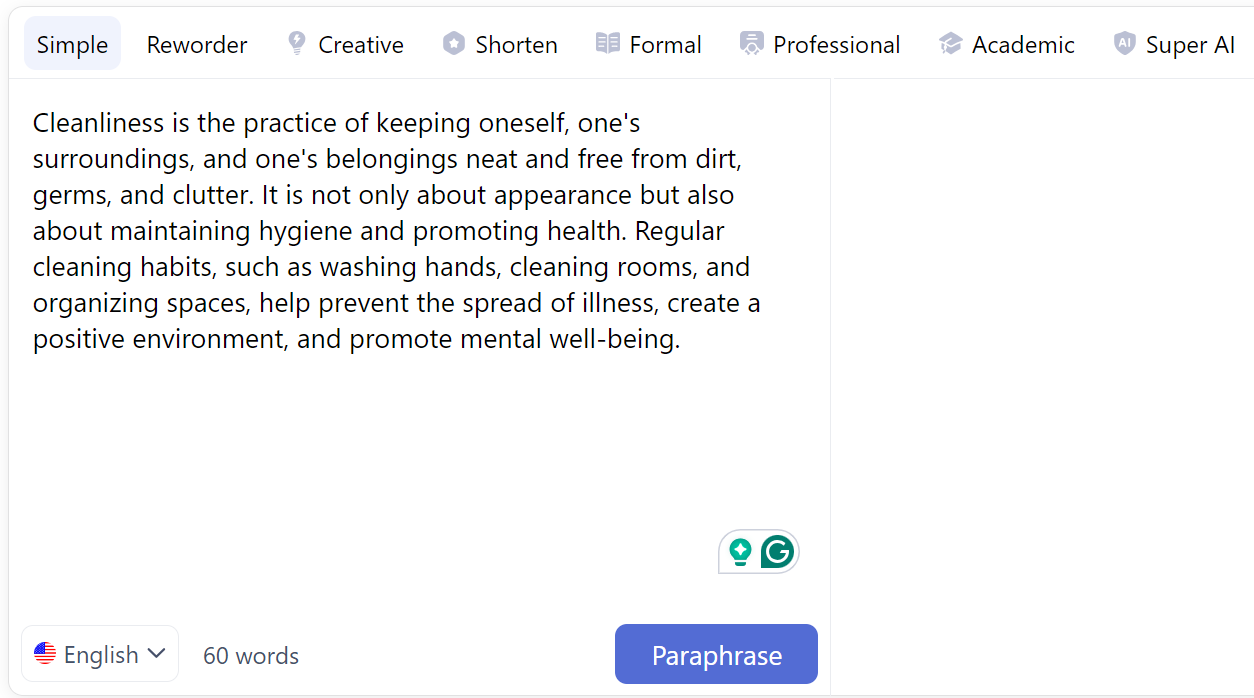 Step 2: Select the paraphrasing mode
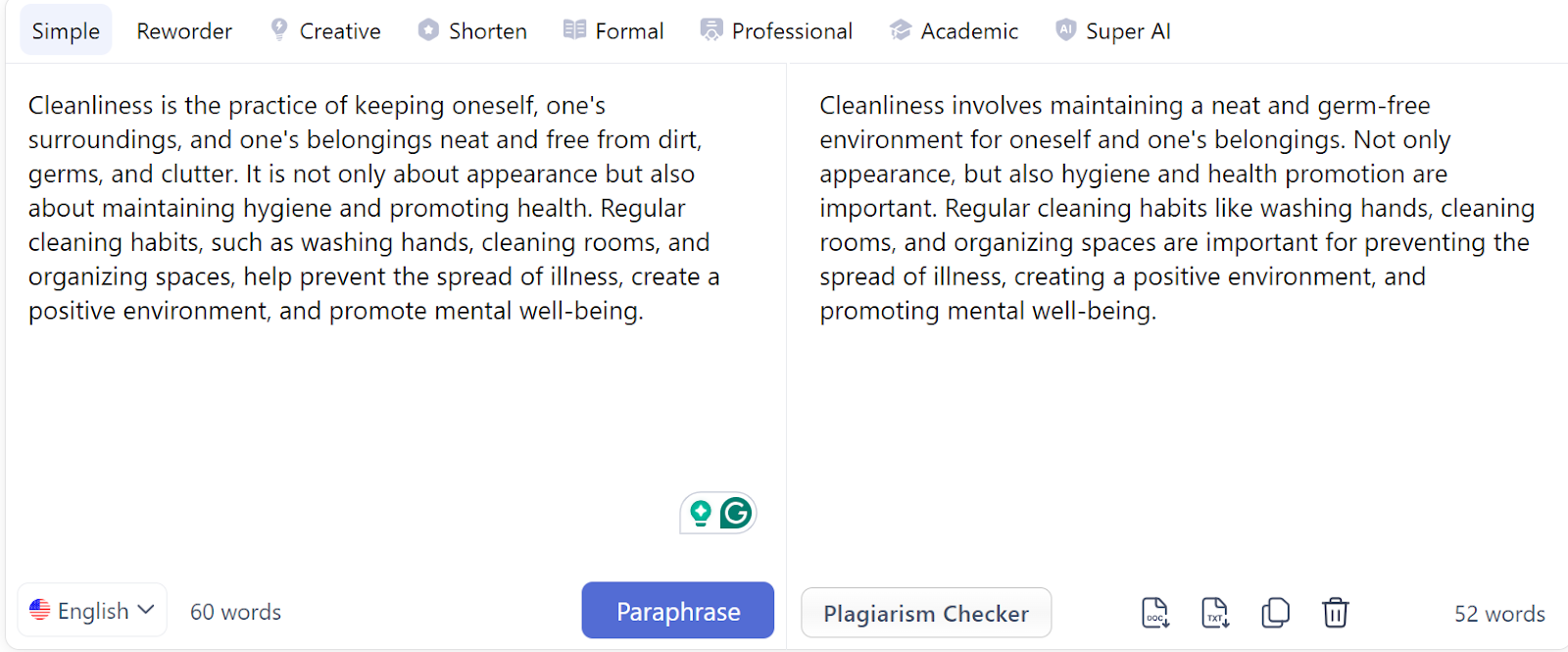
 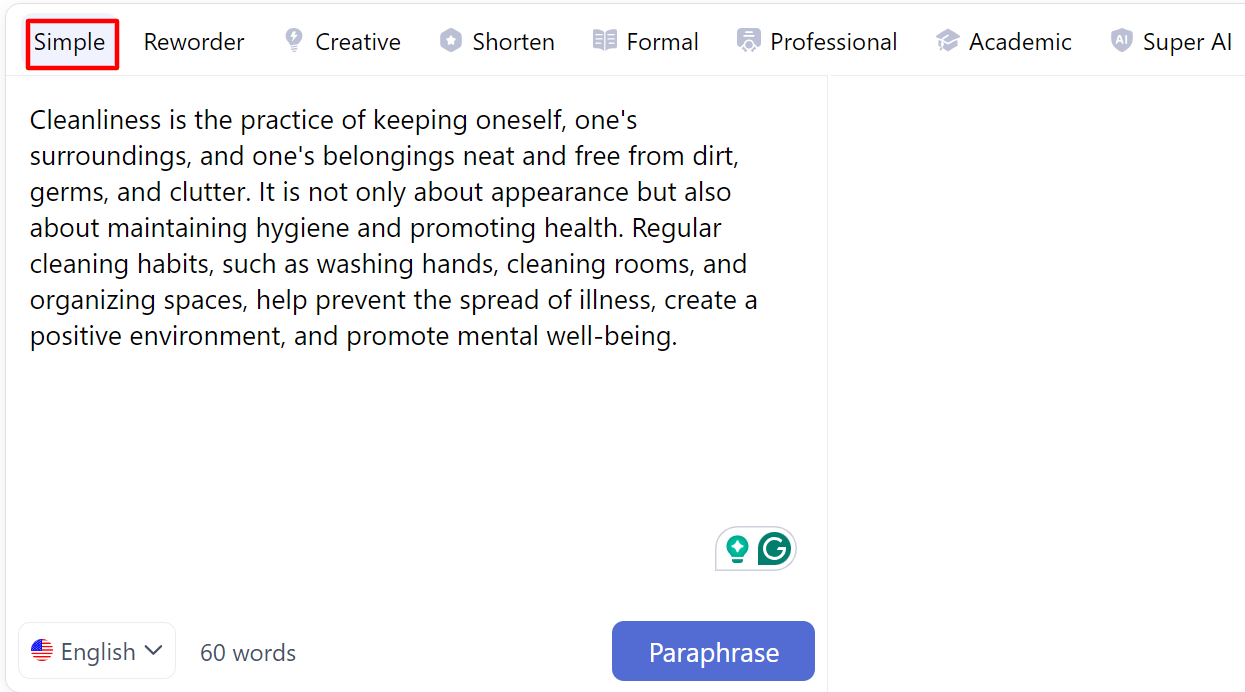 Step 3: Review and edit the output
  By following the same steps I have selected the mode "Reworder":
 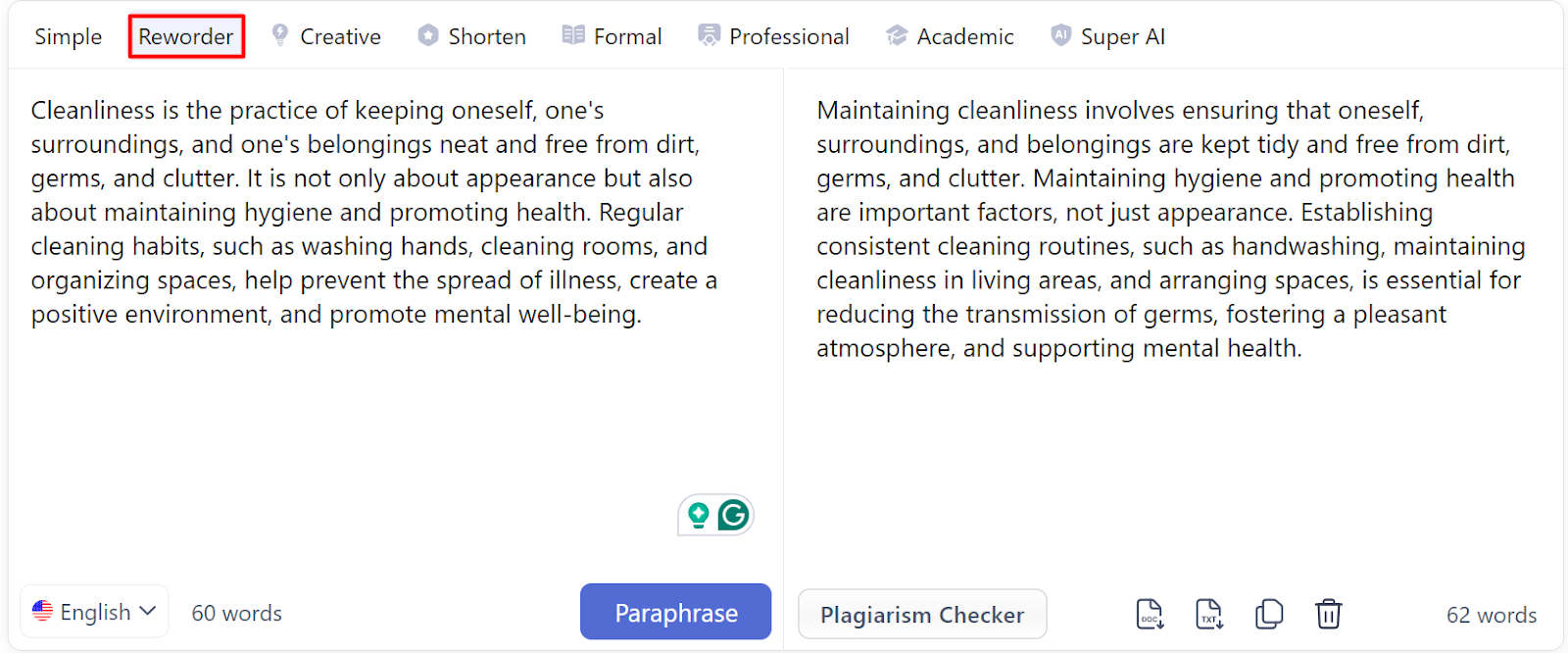 Comparison of results: I have demonstrated two modes with the same input each time. You can see that both the outputs are different.
Learn From The Tool
Closely observe the output of the tool and see how the text has been paraphrased. You can view the sentences it has restructured and try to understand how tool has done that. It will help you develop the skills to paraphrase the text on your own. See how relevant synonyms it has added and the way it has kept the pain points intact. These skills are rare to be found as people prefer tools rather than human touch to their work, at times which results in low-quality work.
Combine With Manual Review And Editing
It is a fact that no tool is 100% accurate and each output generated has to be checked manually. Eliminate duplicate sentences and grammatical errors and check whether the important information is added to the output. The tool might take some ideas or points wrong. So you must read and correct if any rephrased sentence is conveying the message inaccurately. Read the paraphrased version and ensure that all the sentences are coherent, and all the ideas are presented logically and clearly.
Do Not Overuse It
I do not prefer using tools excessively as they can lead to harm your writing skills. If you prefer to use the tool each time rather than manually writing and rephrasing, your content become boring and monotonous to your audience. Dull and boring content leads to a higher bouncing rate. Excessive usage can increase the risk of plagiarism as well. After multiple attempts the tool might start mixing up the paraphrased and original text. It can lower the quality of the output.
Final talk
Online Paraphrasing tools make it easier and faster to paraphrase texts while it takes hours to complete this task manually. It's important to choose the right tool that ensures accuracy and has multiple modes for the user to choose from. Here is a catch: Most paraphrasing tools come with multiple paraphrasing modes. Go through each mode and option and see which tone suits your purpose. Make sure it makes your text sound coherent. Always review your results manually and edit them as appropriate to your needs to make the text suitable to cater to your requirements.
Related reading
Related Articles
 Who Can Benefit from Online Image to Text Converters in 2024Most of the time, you encounter the data or information that is embedded within images. And, what if you want to process those data/information for certain purpNikita Shekhawat5 min read
 The 10 best online payment processing services in 2025Find the 10 best online payment processing services for 2025. Compare pricing, features, and find the perfect fit for your business needs.Myroslava Mykytyn33 min read
 AI accuracyThe 10-Prompt AI Accuracy Test (Run It on Any Tool)Ten prompts, a 20-point scoring sheet, and what each one probes — cutoff knowledge, false premises, abstention, citations, long-tail facts and consistency. Run it yourself on any assistant.Ankit Agarwal12 min read
 The Art Of Paraphrasing: Mastering the Skill of RewordingIntroduction Crafting compelling content often involves incorporating ideas from other sources. But directly copying someone else’s work is plagiarism, aGovind Kumar8 min read