How to Create Compelling Website Content for a New Software Product Before Its Launch
website contentsoftware launchpre-launch marketingMVPcopywriting
 Ankit AgarwalMarketing Head
11 min readHow we fact-check
On this page
- Start With Positioning Before You Write a Single Headline
- Write Only What the MVP Will Actually Ship
- Write a Homepage Hero That Works in Seconds
- Build Trust When You Don't Have Customers Yet
- Pricing, Waitlist, and Early-Access Pages
- FAQ Content and SEO Basics for a Brand-New Domain
- Use AI Writing Tools for Drafts, Then Check Every Claim
- Keep the Copy in Step With a Changing Product
- Where to Start This Week
Writing a website for a product that doesn't exist yet is a strange job. You're describing features that are half-built, promising outcomes nobody has measured, and asking strangers to trust a brand with zero customers. Most pre-launch sites handle this by going vague: "the smarter way to work," a stock illustration, and a waitlist form. That's a mistake, because the pre-launch site is often the first real test of whether anyone wants the product at all.
This guide walks through the pages a new software product needs before launch, what to write on each one, and how to keep the copy honest while the product is still changing under your feet. It's written for founders, marketers, and content creators who own the words, not the code.
Start With Positioning Before You Write a Single Headline
Good pre-launch copy is mostly decided before anyone opens a document. If you can't say who the product is for and what it replaces, no amount of clever phrasing on the homepage will fix it.
Spend an hour answering four questions in plain sentences:
- Who is the first customer? Not "small businesses." Something like "operations managers at 20-person logistics companies who still schedule drivers in a spreadsheet."
- What do they use today? Name the real alternative, even if it's email, a whiteboard, or an intern.
- What changes for them on day one? One concrete outcome, described in their words.
- Why now? What makes the old way break at this moment in their business?
The answers become your raw material. The first customer turns into the audience for every page. The current alternative tells you what to compare against. The day-one change becomes your headline candidate.
There's a reason to take this seriously. When CB Insights reviewed founder post-mortems of failed startups in 2014, 42% of them named "no market need" as a reason the company died, more than any other cause. A pre-launch website is one of the cheapest ways to find out whether you're heading toward that list. If you can't write a clear positioning statement, or the one you write gets shrugs from the people it describes, that's information you want now rather than after launch.
Write Only What the MVP Will Actually Ship
When a new software product is still in its early development stage, founders need to communicate its value proposition clearly. Understanding how your mvp software development company plans the first release helps marketers create more accurate product messaging, explain core features, and set realistic expectations for potential customers.
That release plan is the most useful document a copywriter can get at this stage. An MVP is deliberately small. It ships a handful of features that prove the core idea, and it leaves everything else for later. Your copy needs to respect that line.
Here's a simple way to sort every feature you're tempted to mention:
- In the first release: describe it plainly and specifically. These are the features you can screenshot, demo, and defend.
- Planned, with a rough date: mention it as "coming next" or on a public roadmap page, never in the hero or the main feature grid.
- Ideas and maybes: leave them off the site entirely. They belong in investor decks and team chats.
The temptation runs the other way. Founders want the site to look as ambitious as the vision, and marketers want a feature list long enough to compete with established tools. But every feature you promise and don't ship becomes a support ticket, a refund request, or a quiet churn on day 30. Early adopters forgive a small product. They don't forgive a misleading one.
Ask the product team two more questions before you write: what are the known limitations of the first release, and which features are most likely to slip? Then write around them. "Works with Google Calendar at launch, Outlook support is next" reads as confident. A logo grid of ten integrations, seven of which don't exist yet, reads as confident too, right up until someone tries to connect one.
Write a Homepage Hero That Works in Seconds
Your hero section has very little time to do its job. In a 2006 study published in Behaviour and Information Technology, Gitte Lindgaard and colleagues at Carleton University found that people formed judgments about a web page's visual appeal after seeing it for just 50 milliseconds, and those snap ratings closely matched what they said after looking longer. Design does a lot of that early work, but the words in the first screen decide whether the good impression turns into a scroll.
And people won't read much once they do scroll. Jakob Nielsen's analysis of browsing data found that users read about 20% of the text on an average page. So the hero has to stand on its own.
A pre-launch hero needs three parts:
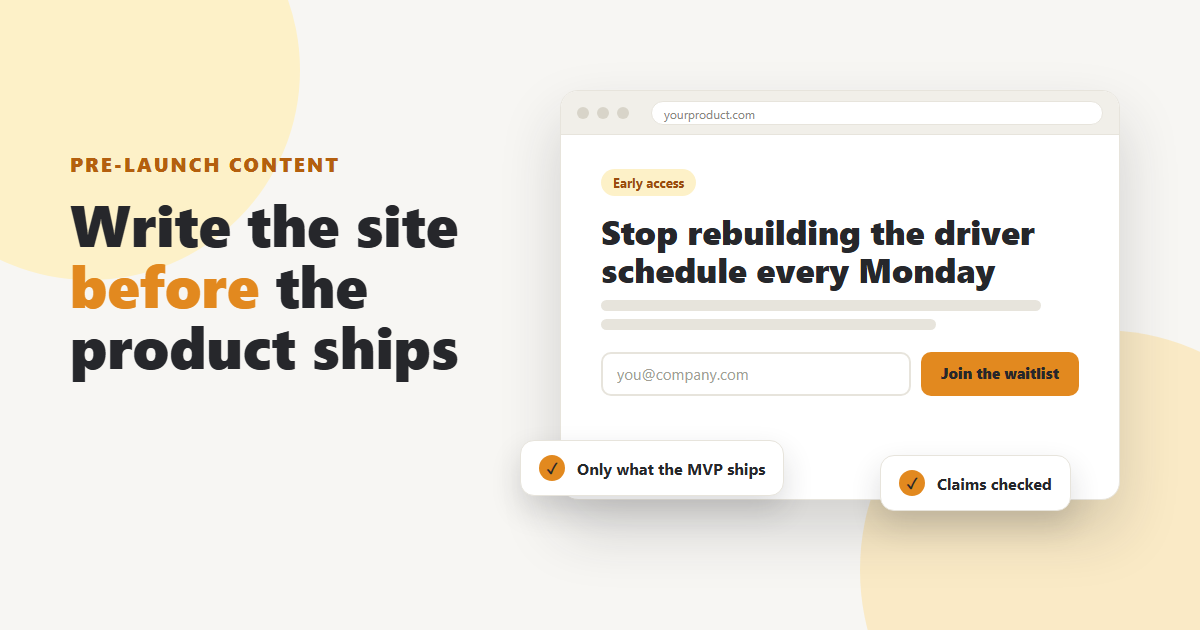
- A headline that names the outcome. "Schedule 40 drivers in 10 minutes, not 2 hours" beats "Reimagining logistics." If your product is too early for hard numbers, describe the change: "Stop rebuilding the driver schedule every Monday."
- A subheadline that names the audience and the method. One sentence: who it's for and how it works. "Route planning for small fleet operators, built on the spreadsheet you already use."
- One call to action. Join the waitlist, request early access, or book a demo. Pick one. Two buttons with equal weight split attention on a page that has none to spare.
Skip the abstract nouns. "Platform," "solution," and "ecosystem" tell a visitor nothing they can picture. Read your headline aloud to someone in your target audience and ask them what the product does. If they can't answer in one sentence, rewrite it.
One more test that works well for pre-launch products: could a competitor put your headline on their site without changing a word? If yes, it isn't specific enough yet.
Build Trust When You Don't Have Customers Yet
Social proof is the hardest section to write before launch, because the usual ingredients (logos, case studies, review badges) don't exist. You can still give visitors reasons to believe you, as long as every one of them is real.
Here's what you can honestly use:
- Beta users and design partners. If ten companies are testing an early build, say so. A short quote from a named beta user, with their permission, is worth more than a polished testimonial from nobody in particular.
- The founder story. Explain why the team is building this. "We ran dispatch for a regional courier for six years and got tired of the spreadsheet" is a credential. Keep it short and specific, and put it on the About page with a one-line version on the homepage.
- Waitlist momentum. If 1,200 people have signed up, that's a fact you can publish. If it's 40, don't mention a number at all.
- Process transparency. A public changelog or a short "what we shipped this month" note shows the product is moving. For an early product, visible progress is a form of proof.
- Relevant team experience. Past roles at companies your audience knows can help, as long as you describe them accurately.
What you can't do is invent any of this. No placeholder testimonials, no "trusted by" logos of companies that once took a sales call, no rounded-up user counts. Pre-launch audiences are small and well connected. One fake quote discovered on LinkedIn will cost more trust than an empty testimonials section ever could.
Pricing, Waitlist, and Early-Access Pages
You don't need final pricing to write a pricing page, but you do need to decide what the page is for. Before launch, it usually has one of three jobs.
Testing willingness to pay. Publish a planned price with a clear note that it may change. Some teams show two tiers and track which one people click. Keep the tier names and descriptions simple; you're testing the price, not your naming skills.
Selling early access. If you're offering founding-member pricing or a discounted first year, say exactly what the buyer gets and for how long. "50% off for the first 12 months for anyone who joins before launch" is clear. "Exclusive early-bird perks" isn't.
Collecting a waitlist. If there's no price yet, the page can explain what will be free, what will be paid, and when you'll announce details. That's still better than no page, because visitors who look for pricing and find nothing often assume the worst.
The waitlist page itself deserves real copy, too. Tell people what happens after they sign up: when they'll hear from you, how often, and what they'll get access to first. A confirmation email that only says "You're on the list!" wastes the moment when interest is highest. Use it to ask one question, such as "What's the biggest headache this would fix for you?" The replies will improve your next round of copy more than any brainstorm.
FAQ Content and SEO Basics for a Brand-New Domain
A new domain won't rank for competitive terms in its first months, and you shouldn't plan as if it will. Pre-launch SEO is about laying groundwork so the site is ready when the product is.
Focus on a short list:
- Unique title tags and meta descriptions for every page, written for people first. Each one should describe that page, not repeat the homepage tagline.
- One clear topic per page. The homepage covers the product, each feature page covers one feature, and the pricing page covers pricing.
- Problem-shaped language. Your audience searches for the problem, not your brand name. If they type "driver scheduling spreadsheet template," your copy should use those words somewhere natural.
- A few early articles that answer real questions your first customers ask. Three useful posts beat twenty thin ones.
The FAQ page does double duty here. It handles objections for visitors and gives search engines plain-language answers to real questions. Pull questions from waitlist replies, sales calls, and beta feedback rather than inventing ones that make the product look good. Common pre-launch FAQs include:
- When will the product be available?
- What does it cost, or when will pricing be announced?
- What does the first version include, and what doesn't it include yet?
- How is my data stored, and can I export it?
- What happens to my account if I join during the beta?
Answer the uncomfortable ones directly. "Mobile apps aren't in the first release; we're targeting a later version" is a better answer than silence, and it keeps the FAQ consistent with your feature pages.
Use AI Writing Tools for Drafts, Then Check Every Claim
AI writing tools are genuinely handy for pre-launch work. They can turn a rough positioning doc into ten headline options in seconds, draft a first pass at an FAQ, or rewrite a dense feature description at a lower reading level. Used that way, they save hours on the parts of the job that are mostly typing.
Search engines don't penalize that kind of help on its own. Google's guidance on AI-generated content says its systems reward helpful, high-quality content however it's produced, while using automation mainly to manipulate rankings breaks its spam policies. The question is whether the page helps the reader.
The risk with a pre-launch product is different. An AI tool has never seen your MVP. Ask it to "write a features page for a driver scheduling app" and it will happily describe route optimization, real-time GPS tracking, and payroll integration, whether or not your first release does any of that. Those plausible-sounding extras are exactly the claims you worked to keep off the site.
A workable routine looks like this:
- Feed the tool your positioning answers and the actual release scope, not a vague product idea.
- Generate several variations and pick the strongest, rather than accepting the first draft.
- Check every feature, number, and integration against the release plan.
- Rewrite in your own voice, adding the details only your team knows: the customer you talked to last week, the limitation you chose on purpose.
- Have someone from the product side read the final page before it goes live.
The last step matters most. A five-minute read by the person building the feature catches errors that no amount of editing will.
Keep the Copy in Step With a Changing Product
Pre-launch copy has a short shelf life. MVPs change shape constantly: a feature gets cut, another one turns out to be the thing users love, and the target customer shifts after the first twenty interviews. If the website doesn't move with the product, it drifts into describing something that no longer exists.
Build a light review habit instead of waiting for a big relaunch:
- Tie copy reviews to releases. Each time the product team ships or cuts something, check the homepage, feature pages, FAQ, and pricing page for anything that's now wrong.
- Keep a single source of truth. A shared doc listing every claim the site makes (each feature, integration, number, and date) makes those reviews fast.
- Watch the questions people ask. If waitlist replies or demo calls keep asking about the same thing, the site isn't answering it clearly enough.
- Rewrite the hero after real usage. Once beta users describe the product in their own words, borrow their phrasing. It's almost always clearer than yours.
Here's a short checklist to run before you publish any pre-launch page:
- Does every feature mentioned exist in the first release, or is it clearly labeled as coming later?
- Can a member of the target audience say what the product does after reading the first screen?
- Is every testimonial, number, and logo real and approved?
- Is there exactly one primary call to action?
- Has someone on the product team read this page in the last two weeks?
Where to Start This Week
Start with positioning: write down the first customer, the alternative they use today, and the one change your product makes on day one. Then get the release scope from whoever is building the MVP and sort every feature into "shipping," "coming next," or "not on the site." With those two documents in hand, the homepage, FAQ, and pricing page become much easier to write, and much harder to get wrong. Draft quickly, check every claim against the product, and plan to rewrite the hero once real users start talking.
Related Articles
 AI for law firmsHow Law Firms Can Use AI to Create High-Converting Website ContentDiscover how law firms can leverage AI to scale high-converting website content while maintaining professional standards. Start building your authority today.Ankit Agarwal4 min read
 AI accuracyAI Email Copy That Invents Facts About Your Product: 7 FixesWhy AI-drafted emails state prices, deadlines, integrations and testimonials that are not true, the US and UK rules they break, and seven fixes that stop them before send.Ankit Agarwal11 min read
 best AI tools 202610 Best AI Tools for Content Creation in 2026: A Comprehensive ReviewDiscover the 10 best AI tools for content creation in 2026. Learn how to scale your marketing strategy with human-in-the-loop AI workflows for maximum impact.Ankit Agarwal7 min read
 AI content generation softwareAI Content Generation Software: How to Choose the Right Platform for Your BrandStop chasing magic buttons. Learn how to choose AI content software that integrates with your brand workflow for true orchestration and scalable quality.Ankit Agarwal8 min read