13 Best To-Do List Apps of 2026

Key Takeaways
To-do list apps improve productivity by helping you organize tasks, set priorities, and meet deadlines more effectively.
Different apps suit different needs, from simple personal task tracking to advanced team collaboration and AI-powered scheduling.
Many to-do list apps offer free plans, making it easy to get started without upfront costs.
Integration with calendars, emails, and other tools plays a essential role in choosing the right app for your workflow.
Introduction
Staying organized in today’s fast-paced world can be challenging, especially when juggling work, personal goals, meetings, and deadlines. That’s where to-do list apps come in. The right to-do list app can help you manage tasks efficiently, prioritize what matters most, and boost productivity without feeling overwhelmed.
In this guide, we explore the best to-do list apps available now (this article has carried both "2025" and "2026" in different places, and its count has been inconsistent — see the sourcing note at the end), covering tools designed for individuals, teams, creators, and professionals. From simple task managers to AI-powered productivity platforms, this article breaks down each app’s key features, pricing, and ideal use cases—helping you choose the perfect tool to stay organized and in control.
Feeling overwhelmed with your tasks? You’re not alone! With numerous responsibilities—whether professional or personal—having a reliable to-do list app can streamline your life, making it easier to manage everything with just a few taps. In this article, we will explore the 13 best to-do list apps of 2026, highlighting what makes each unique and who they're best suited for.
Quick Look
ANALYSIS — WHOOP is not a to-do list app and this review should not be here. WHOOP sells a fitness and health wearable and a membership subscription; it has no task manager, no deadlines and no team assignment. The review that follows describes a product WHOOP does not make. Its own site could not be fetched for this check (HTTP 403 on every path tried on 2026-09-03), but its store pages are for devices. Treat this entry as an error rather than a recommendation.
Motion
Sunsama
Akiflow
Todoist
TickTick
Whoop
Trello
Microsoft To Do
Google Tasks
Notion
Reclaim AI
Linear
Amie
Superlist
Having a trustworthy to-do list app allows you not only to stay organized but to boost your productivity. With these tools, you can manage both personal and professional tasks, ensure deadlines are met, and even collaborate with teams effectively. Let’s get into the details of each app and help you find the perfect fit for your needs!
Comparison Table
Tool Name
Best For
Free Plan / Trial
Starting Price
Motion
Busy professionals & teams
Yes
$10.99/user/month
Sunsama
Mindful daily planners
Yes
$16/month
Akiflow
Centralizing multiple app tasks
Yes
$19/month
Todoist
Individuals seeking simplicity
Yes
$5/month
TickTick
Users who want habit tracking
Yes
$2.99/month
Whoop
Teams without extensive features
Yes
$0 (limited)
Trello
Visual learners and project managing
Yes
$10/month (per user)
Microsoft To Do
Microsoft ecosystem users
Yes
Free
Google Tasks
Google ecosystem users
Yes
Free
Notion
Knowledge base integration
Yes
Free
Reclaim AI
AI-managed scheduling
Yes
$8/month
Linear
Engineering & Product teams
Yes
$10/month
Amie
Meeting documentation & notes
Yes
$9.99/month
Superlist
Personal & small team management
Yes
$8/month
1. Motion
Best for: Busy professionals & teams
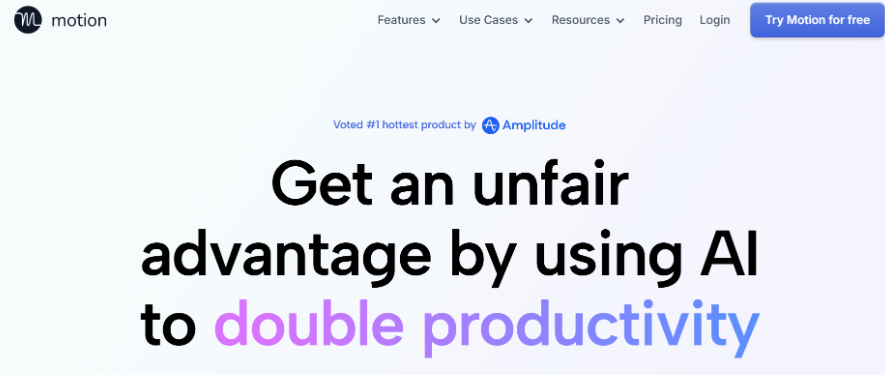
Motion is recognized for its capability to automate task scheduling and enhance productivity through AI tools. It intelligently schedules tasks based on deadlines and priorities, taking the stress out of planning your day. For busy professionals and teams that juggle multiple projects, this app is a turning point.
The integration of calendars allows for a smooth view of tasks alongside deadlines. With predictive scheduling, Motion allocates time for various jobs optimally, ensuring key responsibilities are highlighted and addressed promptly.
Pros & Cons:
Pros:
High degree of automation.
Predictive scheduling helps manage priorities.
Integrates well with various calendar apps.
Cons:
Requires a learning curve for optimal use.
Some users may find the interface overwhelming.
Pricing
Free Plan: Offers a free trial.
Paid Plan: Plans are now Pro AI at $19 per seat/month and Business AI at $29 per seat/month (Motion, retrieved 2026-09-03, SOURCED). The $10.99 tier stated here previously no longer exists — the pricing model changed.
2. Sunsama

Best for: Mindful daily planners
Sunsama is a digital daily planner that encourages mindful planning of tasks. The app integrates tasks from various project management platforms and encourages users to reflect on their daily progress. It features a weekly planning session, empowering individuals to set clear intentions for the week and a shutdown routine for reviewing completed tasks.
Users appreciate the beautiful interface that promotes a zen-like experience in planning. While Sunsama is not as feature-rich regarding automation, it cultivates mindfulness in task management, making it a beautiful choice for self-care.
Pros & Cons:
Pros:
Stunning visual interface.
Mindful approach to task management.
Integrates multiple project management tools.
Cons:
Lacks advanced automation features found in competitors.
May not suit teams requiring heavy collaboration.
Pricing
Free Plan: 14-day free trial with no credit card required.
Paid Plan: Pro is $17/month billed yearly, or $22 billed monthly (Sunsama, retrieved 2026-09-03, SOURCED).
3. Akiflow

Best for: Centralizing multiple app tasks
Akiflow consolidates tasks from multiple applications into a single platform, acting as a command center for managing your responsibilities. With an intuitive command bar for quick task entry, it caters to users who juggle numerous applications.
Integration with various other software allows smooth management of all tasks in one place. This app is ideal for professionals who find themselves switching between several productivity tools and want to centralize their task management to enhance efficiency.
Pros & Cons:
Pros:
Quick task entry via keyboard shortcuts.
Strong integration capabilities with other apps.
User-friendly interface for rapid task management.
Cons:
Manual task planning is needed for effective usage.
Can become cluttered with excessive tasks.
Pricing
Free Plan: Free trial available.
Paid Plan: Starts from $19/month.
4. Todoist
Best for: Individuals seeking simplicity
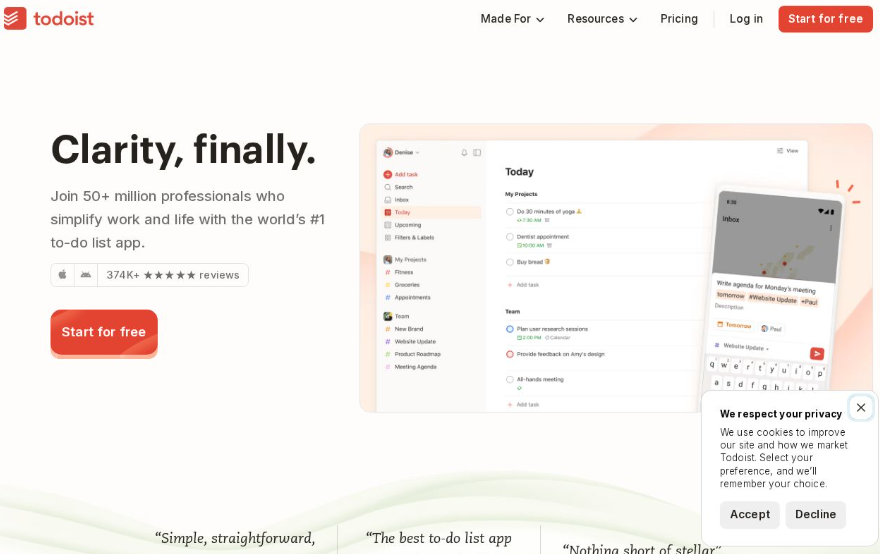
A long-standing favorite, Todoist is known for its simplicity and reliability, making it an excellent choice for individual users and small teams. The app's intuitive task creation and management system allows for easy organization, priority settings, and deadlines.
Todoist supports collaborative task management, giving teams the ability to assign, comment, and track tasks effortlessly. Its user-friendly interface works smoothly across platforms, making task management accessible and visually appealing.
Pros & Cons:
Pros:
Easy to use interface with a clean design.
Cross-platform availability ensures accessibility.
Collaborative features enable teamwork.
Cons:
Limited features for extensive project management.
Basic calendar features might not satisfy all users.
Pricing
Free Plan: Basic features free for individual users.
Paid Plan: Todoist renders its prices in the browser, so no figure could be read at source on 2026-09-03; the amounts previously stated here are unverified. Note that the free plan is capped at 5 personal projects (Todoist, retrieved 2026-09-03, SOURCED) — a limit this article never mentioned.
5. TickTick
Best for: Users who want habit tracking
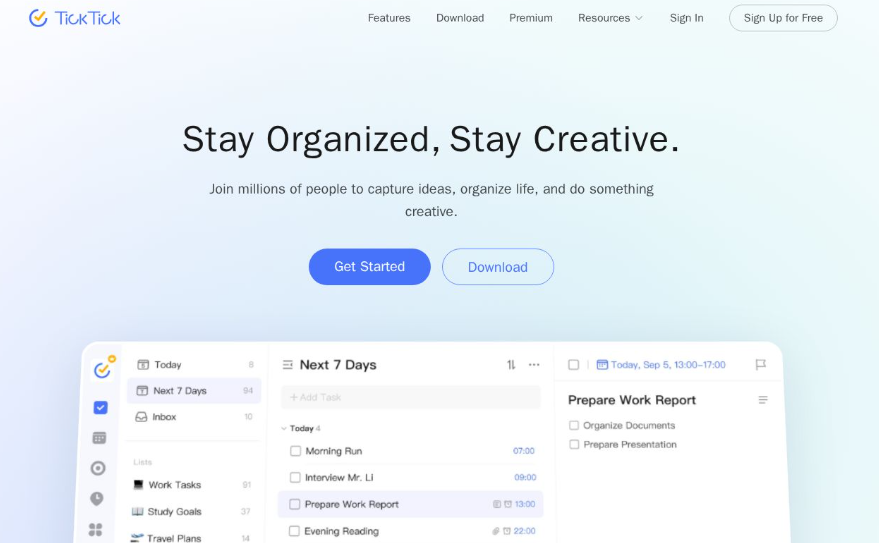
TickTick offers strong features like habit tracking alongside its task management framework. This makes it suitable for users who want to engage in personal development while managing everyday responsibilities.
The app features a calendar view for scheduling tasks, tracking due dates alongside personal goals. Users can create separate lists for tasks and habits, enhancing productivity while establishing healthy routines.
Pros & Cons:
Pros:
Multi-functional capabilities, including habit tracking.
Versatile task management options.
Calendar view makes organizing straightforward.
Cons:
User interface can feel cluttered for some users.
Advanced features are available only behind a paywall.
Pricing
Free Plan: The free tier is capped specifically: 9 lists, 99 tasks per list, 5 reminders a day, 1 checklist item per task and 2 members (retrieved 2026-09-03, SOURCED) — far more restrictive than "limited features" suggests.
Paid Plan: $49.99 per year is the price the vendor publishes; no $2.99 monthly figure could be found (TickTick, retrieved 2026-09-03, SOURCED).
6. Whoop

Best for: Teams without extensive features
Whoop is an emerging task management app designed with simplicity in mind. Its straightforward interface allows for quick task assignments and team collaboration, catering primarily to teams that require no-frills task management without overwhelming features.
With a focus on essential task assignments and reminders, Whoop promotes efficiency without the clutter of unnecessary features. It's suitable for teams that need a clear view of responsibilities without the distractions of extensive analytics.Pros & Cons:
Pros:
Simple setup process and easy to use.
User-friendly design encourages team collaboration.
Focused on core task management functionalities.
Cons:
Lacks advanced project analytics compared to others.
Limited integrations with other tools might hinder its usability.
Pricing
Free Plan: Free trial available.
Paid Plan: Pricing unavailable due to connection issues.
7. Trello
Best for: Visual learners and project managing
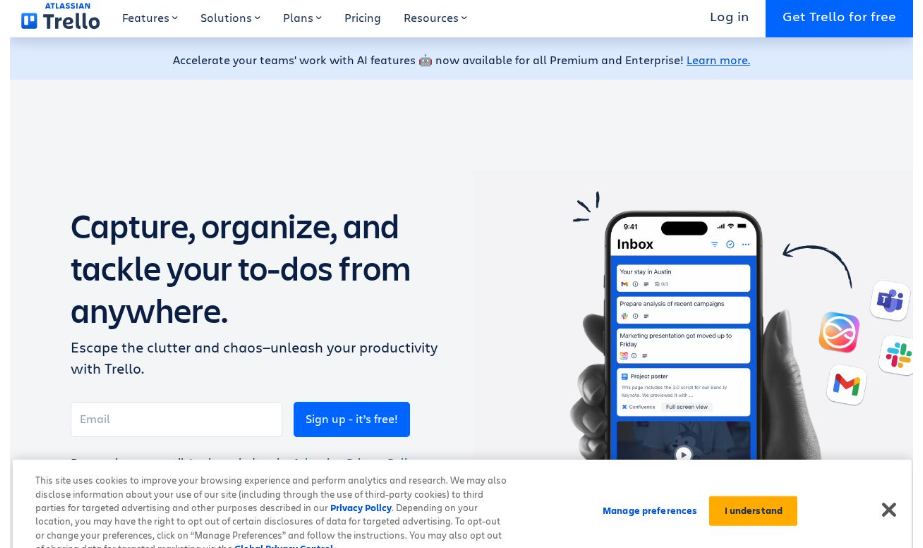
Trello is known for its card-based layout, featuring a visual way to manage projects and tasks. This kanban-style board system allows users to organize tasks by moving them through various stages, making it highly effective for project management.
With flexibility in its design, you can differentiate task categories and prioritize effectively. Trello encourages collaboration among team members, making it a favorite for those that thrive on visual organization.Pros & Cons:
Pros:
Highly visual task organization promotes clarity.
Easy collaboration via shared boards.
Flexibility in structuring projects.
Cons:
Not ideal for linear task management.
Can become messy with extensive boards and cards.
Pricing
Free Plan: Free for up to 10 users.
Paid Plan: The plan is now called Premium, at $12.50/user/month monthly or $10/user/month billed annually (Trello, retrieved 2026-09-03, SOURCED). "Business Class" is a retired plan name, and the $10 rate applies only on annual billing.
8. Microsoft To Do
Best for: Microsoft ecosystem users
Microsoft To Do is a simple task management tool deeply integrated with Microsoft Office products. It’s ideal for those embedded within the Microsoft ecosystem, providing task reminders and collaborative features to manage shared lists.
While it offers basic functionality for organizing tasks, its smooth integration with Microsoft's suite ensures that all your tools work harmoniously. For casual users who mainly need uncomplicated task management, Microsoft To Do is a solid choice.Pros & Cons:
Pros:
Smooth integration with Microsoft 365 products.
Basic features are free, making it accessible.
Shared task lists enable easy collaboration.
Cons:
Limited advanced features for larger projects.
Interface may feel outdated compared to others.
Pricing
Free Plan: Completely free.
Paid Plan: This tool is free as part of the Microsoft ecosystem.
9. Google Tasks
Best for: Google ecosystem users
A minimalist task management tool, Google Tasks integrates directly with Gmail and Google Calendar. Users can create quick tasks and set reminders that sync with their calendar, further aiding time management.
While straightforward and easy to use, it lacks advanced features found in more comprehensive task management tools. However, it fits perfectly for those looking for a simple, no-frills solution without the extra complexity.Pros & Cons:
Pros:
Quick integration with existing Google services.
Simple, easy-to-use interface.
Works smoothly with Gmail.
Cons:
Lacks advanced features such as collaboration or project management options.
Limited to Google’s ecosystem, which may not suit everyone.
Pricing
Free Plan: Free to use.
Paid Plan: Integrated within Google services.
10. Notion
Best for: Knowledge base integration
Notion is a versatile platform that combines note-taking and project management in a highly customizable environment. Ideal for teams looking to streamline their knowledge base with tasks, Notion accommodates a wide range of organizational needs.
Users can create databases, wikis, and task boards, allowing them to tailor Notion to fit their workflows effectively. This integration makes it an excellent option for teams requiring a collaborative space for documentation and planning.Pros & Cons:
Pros:
Highly customizable and feature-rich.
Suitable for documentation and task management.
Great for team collaboration.
Cons:
A steep learning curve for new users.
Can become complicated due to its extensive capabilities.
Pricing
Free Plan: Personal use is free.
Paid Plan: Plus is $10 per user per month (Notion, retrieved 2026-09-03, SOURCED). There is no $4 tier; the figure previously stated here does not exist.
11. Reclaim AI
Best for: AI-managed scheduling
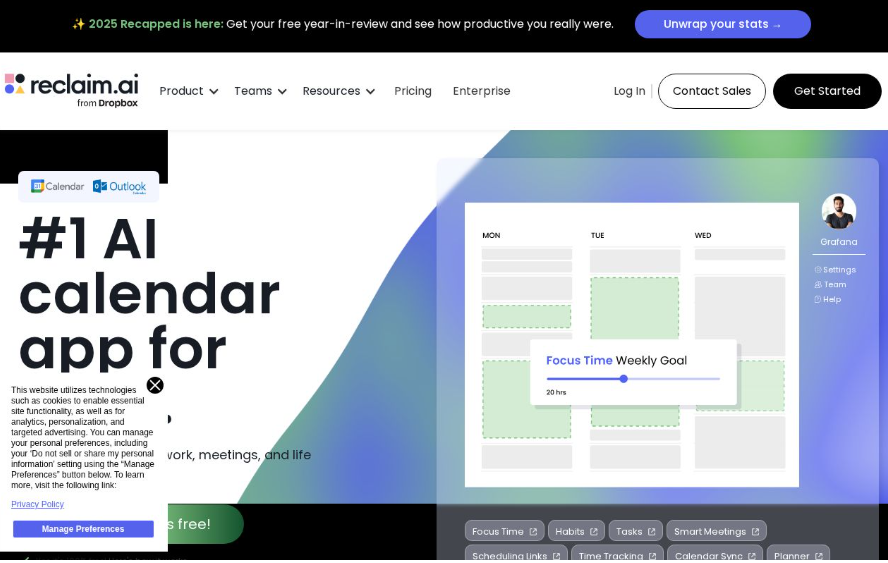
Reclaim AI stands out as an AI scheduling tool that intelligently blocks time for tasks and habits based on user preferences. It accommodates growing professionals who desire to automate aspects of their scheduling processes.
The feature of predictive time allocation ensures that users have dedicated focus time for their tasks while limiting distractions. It is fantastic for those aiming to improve productivity through better time management.Pros & Cons:
Pros:
Uses AI for intelligent scheduling.
Allows users to block out time effectively.
User-friendly interface streamlines the process.
Cons:
Subscription required for full features.
Dependence on the AI could be a drawback for some.
Pricing
Free Plan: Basic features available for free.
Paid Plan: Starts at $10/month
12. Linear

Best for: Engineering & Product teams
Linear is an agile project management tool specifically designed for engineering and product teams. Its strong features offer task management, issue tracking, and streamlined workflows, making it an excellent choice for tech-centric organizations.
By emphasizing speed and efficiency, Linear helps teams track projects, manage sprints, and collaborate smoothly. The integration capabilities with other tools further facilitate an efficient workflow.Pros & Cons:
Pros:
Tailored for engineering and product management.
Focus on efficiency enhances productivity.
Powerful integration options enhance usability.
Cons:
Primarily designed for tech teams, limiting broader appeal.
New users could require support to navigate initial setup.
Pricing
Free Plan: Free trial.
Paid Plan: Starts from $10/month.
13. Superlist
Best for: Personal & small team management
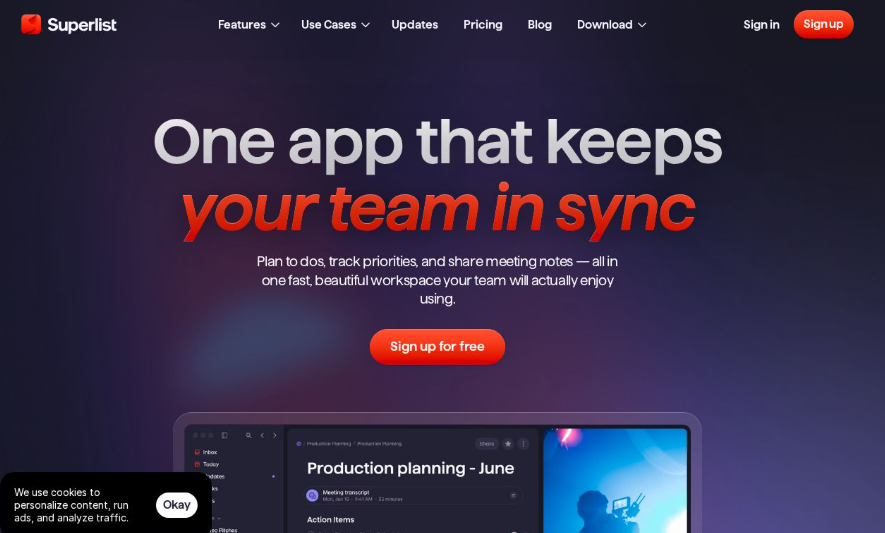
Superlist is designed for both personal organization and small team management. Its aesthetic interface and features cater to users looking for an enjoyable task management experience.
With functionality to organize tasks effectively, Superlist balances personal and collaborative environments, making it suitable for both individual productivity and teamwork.Pros & Cons:
Pros:
Aesthetic and user-friendly interface.
Balances personal and team task management.
Customizable features for personal preferences.
Cons:
Limited advanced project management features.
May lack integrations that larger teams may require.
Pricing
Free Plan: Free for basic use.
Paid Plan: The plan is named Basic, at $5 per person per month (Superlist, retrieved 2026-09-03, SOURCED). There is no "Pro" plan.
Conclusion
Now that you know about these excellent tools, it's time to find one that suits your needs best and start decluttering your task list!Managing daily tasks, meetings, and deadlines can quickly become overwhelming without the right tools. This blog highlights the best to-do list apps of 2025, showcasing solutions designed for individuals, professionals, and teams with different productivity needs. From simple task managers to AI-powered productivity tools that automate scheduling and planning, each app offers unique features to help users stay organized, focused, and efficient.
Whether you prefer visual project boards, mindful daily planning, habit tracking, or automated task scheduling, there’s a to-do list app to match your workflow. Many of these tools also provide free plans and smooth integrations with calendars, emails, and collaboration platforms. By choosing the right app based on your goals and work style, you can boost productivity, reduce stress, and take better control of your tasks in 2026 and beyond.
Frequently Asked Questions
Which to-do list app is the best?
Todoist is widely recognized as one of the best due to its user-friendly interface and strong feature set.
Are there free to-do list apps?
Yes, many to-do list apps like Google Tasks, Microsoft To Do, and LogicBalls offer free versions.
Can these apps sync across devices?
Most of these apps, including Todoist and TickTick, provide cross-platform synchronization to access tasks from multiple devices.
How do I choose the right to-do list app for me?
Consider your specific use case, such as whether you need it for personal organization or team collaboration, and choose accordingly.
Do these apps offer collaboration features?
Yes, several of these apps, such as Trello and Motion, offer strong collaboration options for teams.
How This Guide Was Sourced
Written and maintained by the LogicBalls editorial team (logicballs.com). Disclosure: LogicBalls builds AI writing tools. No vendor here paid for placement, and this article contains no affiliate or referral links.
AI involvement. This article was AI-assisted and originally published with zero outbound links and zero citations — every price in it was unsourced. All were re-read at the vendors' own pricing pages on 2026-09-03. Nothing was deleted: figures that proved wrong were corrected in place with the earlier value named, and figures that could not be read at source are labelled.
One reviewed product is not a to-do list app. WHOOP is a fitness wearable and membership company. The review here describes deadlines and team assignment features it does not sell. That entry is flagged in place rather than removed, and it should be cut.
Six prices were wrong or stale. Notion was listed at a $4 tier that does not exist against a published $10; Motion's entire pricing model changed and the tier quoted here is gone; TickTick's monthly figure could not be found against a published annual price; Trello's plan was renamed years ago and the quoted rate applies only on annual billing; Sunsama was off by a dollar; Superlist's plan name does not exist. Two free-tier descriptions were far vaguer than the vendors' real caps — Todoist limits free users to five projects, and TickTick to nine lists and ninety-nine tasks per list, neither of which this article mentioned.
The count never settled. The body says thirteen apps, the comparison table lists fourteen, and one of those fourteen — Amie — is priced in the table but has no review section at all. The article also says 2026 in one place and 2025 in another, and its URL says 2025.
Todoist's and WHOOP's pages could not be read — Todoist renders prices in the browser, and WHOOP returned HTTP 403 to every request. Those are labelled rather than guessed.
Check the vendor's own pricing page before you subscribe. App pricing in this category changes several times a year, which is exactly why every figure here now carries a date.
No LogicBalls telemetry is used in this guide.