AI Chat with PDF: How LogicBalls Users Can Research Faster and Write Better

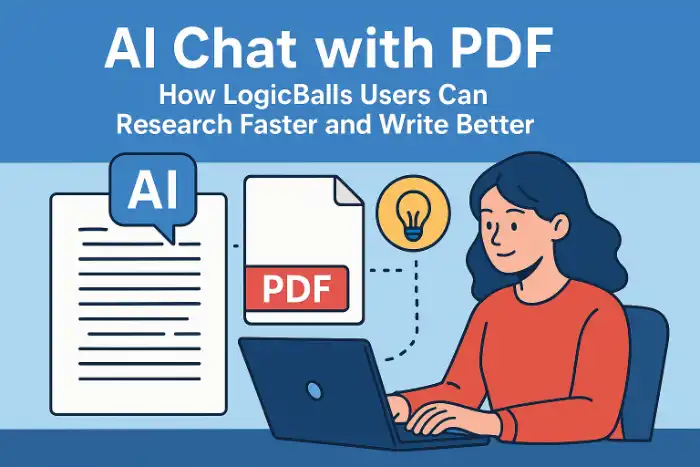
If LogicBalls is where you create content, AI “Chat with PDF” tools are where you understand content.
Every serious writer or marketer today works with PDFs:
Industry reports
Case studies
Product decks
Research papers
Ebooks & whitepapers
Reading all of that manually is slow. AI Chat with PDF tools let you:
Upload a PDF
Ask questions in simple language
Get summaries, key points, stats, quotes, and explanations in seconds
In this guide, we’ll see how AI Chat with PDF tools fit perfectly into a LogicBalls workflow, so you can move from PDF → insights → content much faster.
Table of Contents
What Is AI Chat with PDF (in Simple Words)?
How Do Chat with PDF Tools Work?
Why AI Writers & LogicBalls Users Should Care
Common Use Cases for LogicBalls Users
Best AI Chat with PDF Tools (for LogicBalls Audience)
Comparison Tables
How to Combine Chat with PDF + LogicBalls (Step-by-Step)
Privacy & Security Basics
FAQs for LogicBalls Users
1. What Is AI Chat with PDF?
AI Chat with PDF tools let you talk to your PDF like you talk to ChatGPT:
You upload a PDF
The tool reads and indexes it
You type questions like:
“Summarize this report in 10 bullet points.”
“What are the main benefits mentioned in this document?”
“Explain section 3 in simple language.”
The AI replies using only the content inside that PDF, often with citations or page references.
Think of it as Google Search but inside your document.
If you want a deeper technical perspective on this space, you can check this detailed research on AI Chat with PD, which explores the market, common architectures, and use cases.
2. How Do Chat with PDF Tools Work?
Most tools follow a similar pipeline:
Upload & Text Extraction
You upload your PDF.
The tool extracts text. If it’s scanned, it uses OCR.
Example: Smallpdf’s Chat with PDF reads contracts, reports, and study material and offers instant Q&A and summaries.
Chunking & Indexing
The text is broken into smaller chunks.
Each chunk is converted into an embedding (vector).
These are stored in a vector database for fast retrieval.
Retrieval
You ask a question.
The tool converts it into a vector and finds the most relevant chunks from the PDF.
Answer Generation
The tool feeds your question + relevant chunks into a large language model.
The model writes a natural language answer, often with references.
Tools like SciSpace Chat PDF emphasize citation-linked answers for research papers.
Follow-Up Questions
You can keep asking questions in the same chat.
Smallpdf even highlights “Generate Questions in One Click” for turning PDFs into quizzes or Q&A.
You don’t have to manage any of this. From your point of view:
Upload → Ask → Copy insights into LogicBalls → Write.
3. Why AI Writers & LogicBalls Users Should Care
LogicBalls gives you 5,000+ AI tools for:
Blog posts
Landing pages
Product descriptions
Ad copy
Social posts
Emails
Scripts, outlines, case studies, etc.
But great output depends on great input.
AI Chat with PDF tools help you:
Turn long, complex PDFs into clean bullet points and angles
Extract real stats, quotes, and data for your content
Build better, more detailed prompts for LogicBalls tools
Avoid “generic AI content” by grounding your writing in real documents
In short:
Chat with PDF gives you the raw material.
LogicBalls helps you turn it into polished content.
A 2025 comparison review of AI Chat with PDF tools notes that the biggest benefits are instant summaries, time savings, and team collaboration, especially for content and research workflows.
4. Common Use Cases for LogicBalls Users
Here are practical ways LogicBalls users can benefit.
4.1 Blog & SEO Content
Upload industry reports, market studies, or government PDFs.
Ask:
“What are the top 10 insights in this document for [topic]?”
“What problems and solutions are mentioned here?”
Feed those points into:
Blog writer
Pillar page generator
SEO long-form tools inside LogicBalls
4.2 Thought Leadership & LinkedIn Content
Upload whitepapers or research PDFs.
Ask:
- “Give me 5 contrarian opinions or interesting angles from this document.”
Use those angles with LogicBalls’:
LinkedIn post generator
Hook/angle generator
Twitter/X thread writer
4.3 Sales & Product Copy
Upload product datasheets, feature PDFs, or pricing decks.
Ask:
“List all the benefits mentioned for [target audience].”
“Turn this into a simple explanation for a non-technical buyer.”
Use LogicBalls to generate:
Landing page copy
Sales emails
Ad creatives (headlines + body)
4.4 Case Studies & Customer Stories
Upload customer-facing case study PDFs or internal success decks.
Ask:
- “Extract problem–solution–results from this document.”
Pass the result into LogicBalls’:
Case study generator
Testimonial writer
Video script generator
4.5 Academic / Research Content
Upload research papers or course PDFs.
SciSpace Chat PDF, for example, is specifically built for research and gives citation-backed explanations and summaries.
Use those insights to drive LogicBalls tools for:
Literature reviews
Summaries
Study notes
Explainer blogs
4.6 Training, Compliance & Internal Docs
Upload policy documents, internal handbooks, or compliance PDFs.
Tools like Adobe Acrobat AI Assistant can summarize sections and answer cross-document questions.
Use LogicBalls to:
Generate internal email announcements
Training materials
FAQs for employees
5. Best AI Chat with PDF Tools
Here are the tools that make the most sense if you’re a LogicBalls user.
5.1 PDF7.app
Website: https://pdf7.app/
PDF7.app is a full PDF toolkit (30+ million users) that recently added AI Chat with PDF. According to its official press release, the platform:
Served a 30,000-user beta
Reported an average 2-hour time saving per document
Achieved 95% satisfaction among beta testers
PDF7.app Launches AI Chat with PDF After 30,000-User Beta
👉 PDF7.app launches AI Chat with PDF after a 30,000-user beta
Key features:
AI chat with PDFs (question-answer, summaries, explanations)
40+ PDF tools (merge, sign, compress, convert, edit)
Fast performance for long PDFs
“Zero file storage” — files are processed then deleted
Best for LogicBalls users:
Writers and teams who want a free, powerful Chat PDF tool plus a robust PDF toolkit.
5.2 ChatDOC
Website: https://chatdoc.com/ chatdoc.com
Key features:
Supports PDF, DOC, DOCX, EPUB, TXT, and even website links
Organizes files in folders (useful for campaigns or large projects)
Highlights citations directly in the original document
Suggests AI-generated follow-up questions
Best for:
Teams working with mixed document formats and needing organized research folders.
5.3 ChatPDF
Website: https://www.chatpdf.com/ chatpdf.com
Key features:
Very simple: upload and chat
Designed to make reading research articles “easier and faster” with conversational Q&A
Great for long PDFs like reports and ebooks
Provides answers with citations/snippets
Best for:
SEO writers, researchers, and content marketers who need fast, no-frills PDF Q&A.
5.4 Smallpdf – Chat with PDF
Website: https://smallpdf.com/chat-pdf Smallpdf
Key features:
Free, browser-based, no registration required
AI Q&A, summaries, and key takeaways from any PDF
Part of a suite of 30+ PDF tools (compress, edit, convert, sign)
Uses TLS encryption and auto-deletes files; ISO 27001 & GDPR compliant
Best for:
Quick, simple use cases and scanned PDFs thanks to strong OCR support.
5.5 SciSpace Chat PDF
Website: https://scispace.com/chat-pdf SciSpace
Key features:
Built for research papers and technical documents
Provides concise, citation-linked answers with follow-ups
256-bit encryption and “no training on your content” claims
Best for:
LogicBalls users writing technical, AI, scientific, or academic content.
5.6 AskYourPDF
Website: https://askyourpdf.com/ AskYourPDF
Key features:
Call itself “the only PDF AI Chat app you will ever need”
Chrome extension, mobile app, integrations with ChatGPT and Zotero
Lets you extract insights and manage documents from the browser
Best for:
Cloud-heavy workflows and writers who work directly from the browser or use ChatGPT plugins.
5.7 PDF.ai
Website: https://pdf.ai/ PDF.ai
Key features:
“Chat with any PDF: ask questions, get summaries, find anything you need”
Good for structured, legal-type documents
Best for:
Legal, policy, or contract-heavy writing.
5.8 Adobe Acrobat AI Assistant
Website: https://www.adobe.com/acrobat/online/ai-chat-pdf.html Adobe+1
Key features:
Embedded inside Adobe Acrobat environment
Summarizes sections and answers deeply across long docs
Adobe states it doesn’t use customer content to train its generative models, focusing on secure enterprise usage.
Best for:
Enterprises, agencies, and teams that already rely on Adobe for all documents.
6. Comparison Tables
6.1 High-Level Overview
| Tool | Key Strengths | Free Tier (approx.) | Best For |
|---|---|---|---|
| PDF7.app | AI chat + 40+ PDF tools, 30M+ users, zero file storage | Currently free for most core features | Everyday LogicBalls users; general content research |
| ChatDOC | Multi-format support, folders, citation highlighting | Limited pages/questions per day | Multi-format campaigns, organized research |
| ChatPDF | Very simple interface, great for long PDFs | Limited questions/day | Quick research for blogs, essays, reports |
| Smallpdf | No signup, strong OCR, 30+ PDF tools, strong security | Limited uploads/day | Scanned PDFs, occasional use, secure workflows |
| SciSpace | Research-grade summaries & citations | Limited queries | Academic/technical writing |
| AskYourPDF | Browser + mobile + ChatGPT integration | Basic free usage | Browser-based workflows, multiple platforms |
| PDF.ai | General ChatPDF app, good for structured docs | Limited | Legal, policy, structured document work |
| Adobe AI | Enterprise-grade, integrated with Acrobat | Very limited without paid subscription | Large orgs, compliance-heavy sectors |
6.2 Best Tools by LogicBalls Use Case
| LogicBalls Use Case | Recommended Tool(s) | Why |
|---|---|---|
| SEO blogs & long-form content | PDF7.app, ChatPDF | Fast summaries, stats, and insights from long PDFs |
| Technical / SaaS / cybersecurity content | SciSpace, ChatDOC | Better at technical and research-heavy documents |
| Sales, product, and marketing collateral | PDF7.app, Smallpdf | Readable summaries + strong PDF editing tools |
| Academic or educational content | SciSpace, ChatPDF | Citation-backed Q&A + paper understanding |
| Legal/policy explainers | Adobe AI, PDF.ai | Enterprise-level & structured document support |
| Multi-document content campaigns & planning | ChatDOC, AskYourPDF | Folders, multi-format & multi-doc chat |
7. How to Combine Chat with PDF + LogicBalls
Workflow 1: Research a Topic → Write a Blog Post
Upload a relevant industry report to PDF7.app or ChatPDF.
Ask:
“Give me 10 key insights from this report about.”Ask follow-up:
“List all stats or numbers related to.”Copy those bullets + stats.
Paste into LogicBalls Blog / Long-Form Article tool as context.
Generate a draft, then refine with LogicBalls tools:
Tone changer
Plagiarism-safe rewriting
Headline & meta description generator
Workflow 2: Turn a Case Study PDF into Multiple Assets
Upload a customer case study PDF into ChatDOC.
Ask:
“Extract the main challenge, solution, and results.”Feed those into LogicBalls:
Case study generator → for website
LinkedIn post generator → for social proof posts
Email sequence tool → for nurture campaigns
Workflow 3: Use Research Papers for Thought Leadership
Use SciSpace Chat PDF for research-heavy PDFs (AI, security, tech).
Ask:
“Explain this paper in simple language for a non-technical audience.”Paste the explanation into LogicBalls to:
Generate thought leadership blogs
Turn ideas into Twitter/X threads
Create newsletter content
Workflow 4: Convert Internal PDFs into Training Content
Upload an internal process or policy PDF to Smallpdf Chat with PDF or Adobe AI Assistant.
Ask:
“Summarize this for new employees as 5 training modules.”
Use LogicBalls to:
Flesh out training scripts
Create slide copy
Generate FAQs and follow-up emails
8. Privacy & Security Basics
When you combine ChatPDF tools with LogicBalls, think about where you upload what.
PDF7.app: Emphasizes that it’s a “zero file storage” platform — uploads are deleted once processed.
Smallpdf: Uses TLS encryption, auto-deletes files after a set period, and is ISO 27001 & GDPR compliant.
Adobe Acrobat AI: States it doesn’t use customer content to train its AI models and focuses on secure handling of documents.
Practical tips for LogicBalls users:
Don’t upload highly sensitive contracts or internal docs to free public tools.
Prefer tools that clearly state file deletion & no-training policies.
For very sensitive work, keep AI processing within trusted enterprise tools (like Adobe) or internal infrastructure.
9. FAQs for LogicBalls Users
Q1: Are Chat with PDF tools accurate?
They’re generally very good for:
Well-structured PDFs
Standard text layouts
They may struggle with:
Poor scans
PDFs that are basically images without good OCR
Extremely long, messy documents
Independent testers evaluating PDF chat tools in 2025 highlight that they save time and improve access to information, but still recommend checking critical facts manually.
Q2: Do I have to pay for them?
PDF7.app currently offers its core tools for free.
Others like ChatPDF, ChatDOC, SciSpace, Smallpdf, AskYourPDF, and Adobe generally have free tiers + paid plans with higher limits.
Q3: Can I use these tools for all my LogicBalls prompts?
Yes. A good pattern:
Use ChatPDF tools to extract facts, stats, key points, quotes.
Feed those into LogicBalls prompts as context.
Let LogicBalls generate content that stays grounded in real data instead of generic AI text.
Q4: Will this replace reading PDFs entirely?
Not fully.
They are amazing for:
First pass
Finding what matters
Creating briefs and outlines
But for very critical, legal, or nuanced content, you should still read key parts yourself.
Q5: How is this relevant to LogicBalls' tool library?
Because LogicBalls can generate:
Blogs
Social content
Sales copy
Scripts
Emails
Product docs
Academic help
All of these become stronger, more credible, and more unique when powered by:
Real PDFs → AI Chat with PDF → LogicBalls prompts → Final content.