
Skip to content

ClickUp AI: built to deliver, not impress

It's Free (opens in a new tab)

What is Upscayl

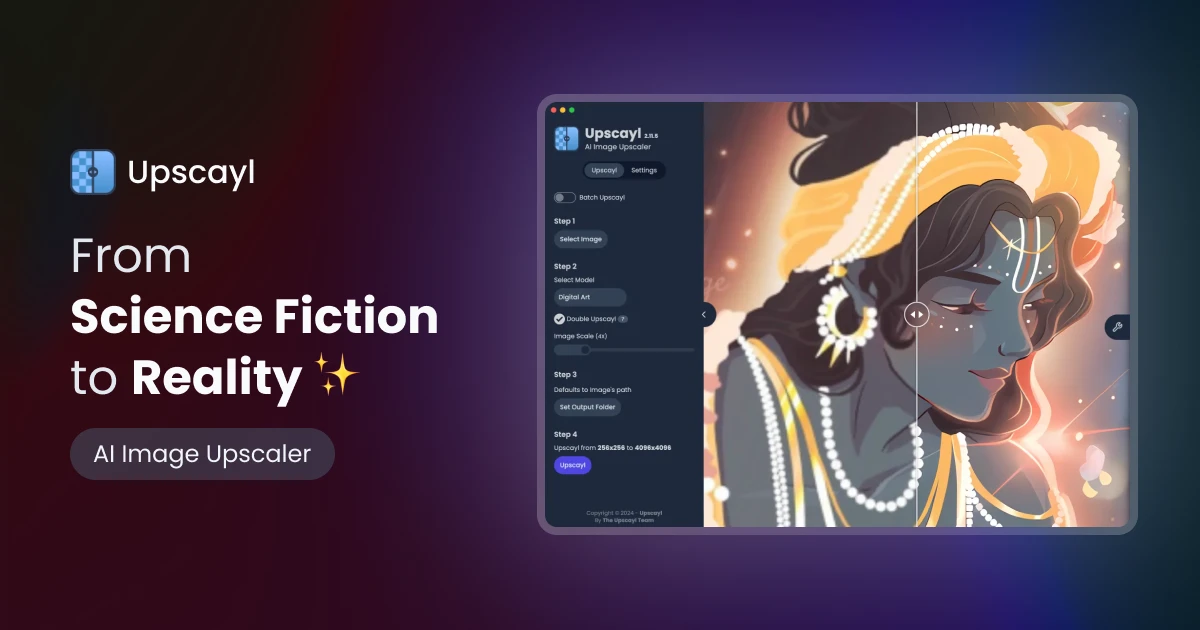
Upscayl is an AI-powered image upscaling tool that transforms your photos into stunning, high-resolution visuals with remarkable clarity and detail.

Key Features

Upscayl boasts several remarkable features, including advanced AI algorithms that significantly enhance image resolution, turning blurry photos into clear images. The tool's intuitive interface ensures that users of all skill levels can navigate it effortlessly. With batch processing capabilities, users can upscale multiple images simultaneously, saving time. Its cross-platform compatibility allows access on various operating systems, while color accuracy ensures that details and hues are preserved for professional use. Additionally, Upscayl provides unlimited cloud storage for easy access to enhanced images.

Pros And Cons

Upscayl’s advantages include being entirely free and open-source, allowing users to enhance images up to 16 times better without sacrificing quality. It offers extensive customizability with multiple model styles and has seen significant speed improvements in its latest version. However, new users may experience an initial learning curve as they familiarize themselves with the tool, and its integration capabilities with third-party tools are somewhat limited.

Who Is Using Upscayl?

Upscayl is widely utilized across various industries. E-commerce businesses enhance product images for online listings, while digital marketing agencies use it to create visually compelling campaign content. Social media managers craft engaging posts, and graphic designers streamline their workflow with the tool. Additionally, educational institutions have embraced Upscayl for teaching marketing courses, and freelance photographers use it to improve their editing efficiency.

Pricing

Upscayl offers a free tier that provides access to all essential features, making it an excellent choice for users seeking quality enhancement without financial commitment. While details about a pro tier are mentioned, specific pricing information is not provided. Users are encouraged to check the official Upscayl website for the most current pricing updates and offerings.

What Makes Upscayl Unique?

Upscayl's unique proposition lies in its dedication to being free and open-source, allowing users to upscale images without incurring significant costs. Its emphasis on preserving color accuracy and offering diverse model styles tailored for various enhancement needs distinguishes it from other image enhancement tools on the market.

Compatibilities And Integrations

Upscayl offers universal compatibility across desktop, mobile, tablet, and cloud platforms, ensuring accessibility from any device. Developers can take advantage of Upscayl's API for custom integrations, although current third-party integration options are limited, focusing primarily on essential tools.

Upscayl Tutorials

To maximize the potential of Upscayl, users can explore an extensive tutorial series available on YouTube. These tutorials cover everything from initial setup to advanced features, providing valuable guidance to help users fully leverage the tool's capabilities.

How We Rated It

Upscayl has received impressive ratings across various criteria, including accuracy and reliability (4.8/5), ease of use (4.5/5), functionality and features (4.7/5), performance and speed (4.6/5), customization and flexibility (4.4/5), data privacy and security (4.3/5), support and resources (4.2/5), cost-efficiency (5/5), and integration capabilities (3.8/5). The overall score stands at 4.5/5, reflecting its robust performance and user satisfaction.

Summary

Upscayl stands out as an essential tool for image enhancement, delivering high-quality results that cater to a wide range of users, from creators to businesses. Its combination of advanced AI technology, free and open-source accessibility,

What Is Upscayl?

Upscayl is a groundbreaking tool that transforms low-resolution images into stunning, high-resolution visuals using state-of-the-art AI algorithms. Tailored for a diverse audience, including creators, businesses, designers, and developers, Upscayl streamlines the enhancement process, converting pixelated images into clear works of art effortlessly. Its user-friendly design, combined with its free and open-source model, makes it a valuable resource accessible to everyone.


Upscayl Reviews

Write a Review

No reviews yet. Be the first to review this tool!

Write a Review

Share your experience with Upscayl tool and help others make informed decisions.

Your Rating

Similar Tools

AnimeGeniusHub
Freemium
Image Editing

AnimeGeniusHub

AnimeGeniusHub is a free AI-powered manga translator that helps readers instantly translate manga, comics, and webtoons into 131+ languages. With advanced OCR and AI translation technology, it accurately detects text, speech bubbles, captions, and sound effects while preserving the original artwork and layout for a seamless reading experience.

AI Color Analysis
Freemium
Image Editing

AI Color Analysis

Enjoy AI color analysis online in minutes. Find the colors that truly suit you with easy, professional color analysis. Not sure which colors truly suit you? Our AI color analysis lets you preview makeup, hair, and outfits directly on your own photos — combining the clarity of a color analysis quiz with realistic visualization.

Nano Banana
Freemium
Image Editing

Nano Banana

Nano Banana is an advanced AI image editing model that has quickly gained attention for its exceptional prompt understanding, consistent character editing, and scene preservation.Experience the future of AI image editing.

AI Virtual Staging
Paid
Image Editing

AI Virtual Staging

AI Virtual Staging is a simple and practical tool made for real estate listings. It helps turn empty or messy rooms into clean, well furnished spaces that look natural and realistic. The original room layout, camera angle, and lighting stay the same only the furniture and styling are improved. Along with virtual staging, it also offers Furniture Removal to clear out unwanted items, Day-to-Dusk to make exterior photos look warmer and more attractive, and 2D-to-3D Floor Plan conversion so buyers can easily understand the property layout. The process is quick and easy. Just upload a photo, choose what you want to change, and get the result in minutes. AI Virtual Staging helps your property photos look better, get more attention online, and make a stronger first impression without spending a lot of time or money.

nano banana ai
Freemium
Image Editing

nano banana ai

Nano Banana is an AI-powered image editor that makes it effortless to create, transform, and refine visuals using simple text prompts. Built on cutting-edge models like Gemini 2.5 Flash Image, it delivers fast, high-quality results for artists, creators, and marketers alike. Main Features Prompt-Based Editing: Describe your idea in plain text and instantly generate precise, consistent edits. Consistent Characters & Scenes: Keep styles, faces, and elements aligned across multiple images. High-Resolution Output: Create stunning visuals suitable for professional use in seconds. Versatile Image Generation: From photorealistic portraits to creative concepts, Nano Banana adapts to any style. How It Helps Users Nano Banana empowers anyone—whether a professional designer or a complete beginner—to produce polished, ready-to-use images without technical skills. It saves time, inspires creativity, and makes high-quality AI image editing accessible to everyone.

ai face swap
Freemium
Image Editing

ai face swap

Enjoy the fun of AI face swapping online by simply uploading your photo. It's free and requires no login. No watermarks on AI face swap image.