
Skip to content

ClickUp AI: built to deliver, not impress

It's Free (opens in a new tab)
Sora Watermark Remover - SaveSora

Sora Watermark Remover - SaveSora

Sora Watermark Remover

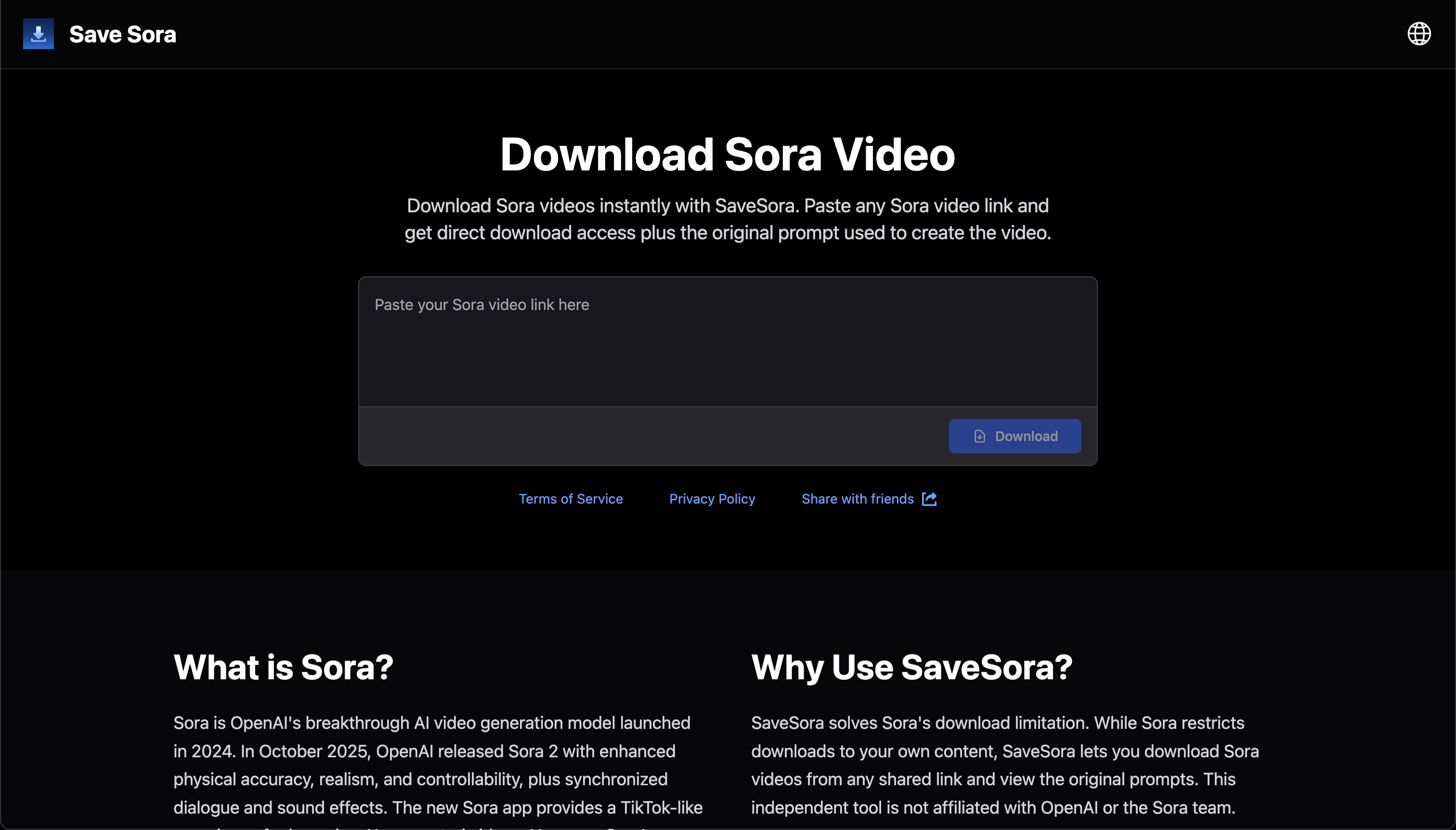
Sora Watermark Remover - SaveSora Screenshot

What is Sora Watermark Remover - SaveSora

SaveSora is a professional Sora watermark remover that removes watermarks from OpenAI Sora 2 videos while maintaining original quality. Designed for content creators, marketing agencies, and developers who need clean Sora videos for professional projects. Access SaveSora through three convenient methods: use the web-based tool directly in your browser, install the Chrome extension for seamless workflow integration, or leverage the API for automated batch processing. All methods preserve video quality and process files quickly without re-encoding artifacts. Whether you're creating YouTube content, delivering client projects, building a portfolio, or integrating Sora videos into your product, SaveSora provides the fastest and most reliable way to remove Sora watermarks and download production-ready videos.

Pricing

SaveSora offers flexible pricing to fit different usage needs. Start with a free trial to test the Sora watermark remover with your own videos. For ongoing use, choose a monthly subscription, or purchase one-time credit packages if you only need occasional watermark removal. API access is available for developers and businesses requiring automated workflows.

How SaveSora Works

SaveSora uses advanced video processing technology to analyze Sora 2 video structure at the encoding level. Unlike simple cropping or overlay methods that damage composition, our Sora watermark remover isolates and cleanly removes the watermark layer while preserving the base footage. The process maintains frame-by-frame consistency to ensure smooth playback without artifacts.

Who Uses SaveSora

Content creators use SaveSora to produce professional YouTube videos with clean Sora-generated B-roll. Marketing agencies deliver polished campaign videos to clients without watermarks requiring explanation. Freelancers build impressive portfolios with finished-looking work. Developers integrate the API to automate video processing in their applications and services.

Chrome Extension Features

The SaveSora Chrome extension adds a download button directly to the Sora interface, eliminating the need to copy URLs and switch tabs. One click downloads watermark-free videos instantly. Perfect for users who regularly work with Sora and want to streamline their workflow.

API Integration

Developers can integrate SaveSora's watermark removal capabilities into their own applications using our RESTful API. Process videos programmatically in seconds, automate batch operations, and build custom workflows. Complete API documentation includes code examples and integration guides.

Pros

  • Removes Sora 2 watermarks completely without quality loss
  • Lightning-fast API processing in seconds
  • Chrome extension for one-click downloads
  • Simple web interface, no technical skills needed

Cons

  • Only supports Sora-generated videos currently
  • Chrome extension requires Chromium-based browsers

FAQs

How does SaveSora remove Sora 2 watermarks?

SaveSora processes videos at the encoding level to isolate and remove the watermark layer while preserving the original footage quality. Unlike manual editing or cropping that damages the composition, our technology maintains the complete video frame and ensures temporal consistency across all frames.

Is the Chrome extension safe to use?

Yes, the SaveSora Chrome extension is completely safe. It's available in the official Chrome Web Store and only requests necessary permissions to integrate with the Sora interface. The extension doesn't access or store any personal data beyond the video URLs you choose to process.

Does SaveSora offer API access?

Yes, SaveSora provides a comprehensive API for developers and businesses. The API processes videos in seconds and supports batch operations, making it ideal for automated workflows and high-volume processing. Visit our API documentation for integration details and code examples.

Can I try SaveSora before purchasing?

Absolutely! SaveSora offers a free trial so you can test the watermark removal quality with your own Sora videos before committing to a paid plan. No credit card required to start your trial.

What video formats does SaveSora support?

SaveSora supports all video formats generated by OpenAI's Sora 2, including various resolutions and aspect ratios. The output maintains the same format and quality settings as your original Sora-generated video.

How long does watermark removal take?

Processing time depends on video length and resolution. Most videos process in under a minute through the web interface. The API offers even faster processing, typically completing in just a few seconds, making it perfect for real-time workflows.

Do I need technical skills to use SaveSora?

No technical skills required for the web interface or Chrome extension. Simply paste your Sora video URL or click the download button, and SaveSora handles the rest. The API is designed for developers but includes clear documentation for easy integration.


Sora Watermark Remover - SaveSora Reviews

Write a Review

No reviews yet. Be the first to review this tool!

Write a Review

Share your experience with Sora Watermark Remover - SaveSora tool and help others make informed decisions.

Your Rating

Similar Tools

Easy Video
Freemium
Video Enhancer

Easy Video

EasyVideo: AI-Powered Video Editing Tools EasyVideo is an AI-driven platform that helps you: -Remove video backgrounds effortlessly for professional content. -Erase watermarks while maintaining high video quality. -Enhance video quality with advanced AI upscaling. With lightning-fast processing, user-friendly design, and secure content handling, EasyVideo is trusted by 200+ creators to transform videos in seconds. Perfect for professionals and beginners alike!

QuestionAI.io
Freemium
Video Enhancer

QuestionAI.io

QuestionAI.io is an AI-powered homework assistance platform designed to help students across various subjects. It offers instant, accurate solutions to academic problems, enhancing learning efficiency. Users can input questions via text or images to receive detailed explanations, making complex topics more understandable. The platform also features a text summarizer, condensing lengthy materials into concise overviews for quick comprehension. With support for over 100 languages, QuestionAI.io is accessible to a global audience. Available 24/7 on both desktop and mobile devices, it serves as a reliable study companion for students worldwide.

Hertok BetterPic
Paid
Video Enhancer

Hertok BetterPic

BetterPic is a groundbreaking AI tool designed to create professional headshots with 4K resolution, eliminating the need for a traditional photographer or studio session. This innovative platform allows users to generate studio-quality headshots by simply uploading a few images of themselves and selecting from over 150 styles. With over 24 million headshots already created, BetterPic has established itself as a leader in the realm of AI-powered photography.

MakeShorts
Paid
Video Enhancer

MakeShorts

MakeShorts is a powerful tool designed to effortlessly transform your YouTube videos into engaging Shorts, allowing you to maximize your content's reach and appeal across platforms with minimal effort.

Lumana
Contact for Pricing
Video Enhancer

Lumana

Lumana transforms security by delivering real-time AI alerts and providing scalable cloud management solutions, ensuring enhanced protection and seamless oversight for your organization.