
Skip to content

ClickUp AI: built to deliver, not impress

It's Free (opens in a new tab)
Omni Flash

Omni Flash

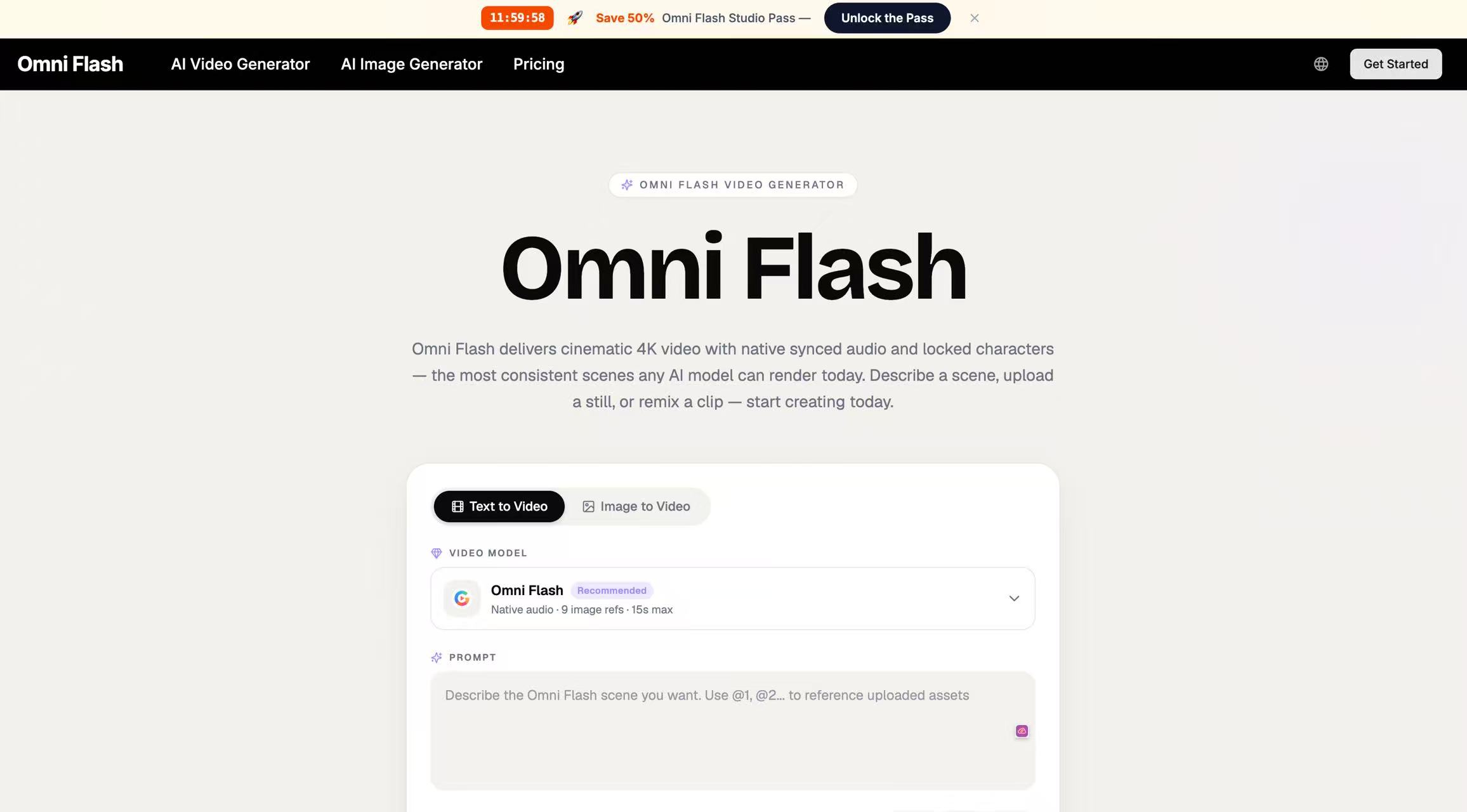
Omni Flash — one AI engine that turns text, images, or clips into 4K video with built-in audio and consistent characters.

Omni Flash Screenshot

What is Omni Flash

Most AI video workflows force creators to chain three or four separate tools together — one for generating frames, another for lip-sync, a third for scoring, and time spent hiding the seams between them. [Omni Flash](https://omniflash.ai/) replaces that pipeline with a single engine that handles picture, motion, dialogue, and audio in the same render. Three input modes are supported by Omni Flash. Type a scene description and receive a finished clip. Upload a reference still and animate it with motion that respects the original composition. Paste an existing video and remix it through conversational prompts. Each Omni Flash generation accepts up to nine image references, runs up to fifteen seconds, and outputs at resolutions up to 4K with native synchronized audio. Omni Flash fits independent filmmakers, marketing and brand teams, ecommerce sellers, course creators, agencies, and game studios — anyone who needs finished video output without assembling a multi-tool production stack.

What sets Omni Flash apart

Omni Flash understands film grammar natively — focal length, depth of field, motivated lighting, tracking shots, dollies, and racks — so direction can be given in cinematographic vocabulary rather than guessed prompts. A face, wardrobe, or brand asset can be pinned once and Omni Flash preserves it across every subsequent shot, including between separate generations made days apart. Looks can be saved as presets that carry palette, grain, and motion feel into future Omni Flash projects. Edits happen through chat: a request to extend a close-up or warm up the lighting rewrites only what was asked.

How a clip gets made in Omni Flash

1. Start with any input — a sentence, a reference image, or a draft clip. 2. Omni Flash plans framing, motion, dialogue, and audio together, then renders a cinematic preview in under a minute. 3. Refine by chat or re-prompt, then download a 4K master ready for client work or publishing. No timeline editor, no plug-ins, no rendering queue. Most Omni Flash users go from idea to shareable clip in a single afternoon.

Pros

  • Omni Flash produces picture, motion, and audio together in one render pass
  • Native dialogue, lip-sync, and score baked into every Omni Flash output
  • Every Omni Flash render ships with commercial-use license and no watermark

FAQs

What does Omni Flash actually do?

Omni Flash takes a text prompt, a reference image, or an existing video clip and renders a cinematic 4K video with synchronized audio and consistent characters — all in a single pass. The picture, motion, dialogue, and score come out together, not as separate layers that need to be assembled.

How does Omni Flash keep a character looking the same across shots?

A face, wardrobe, or brand asset can be locked in Omni Flash once and the model preserves it across every subsequent generation, including separate sessions made days apart. This consistency is the feature most teams cite as the reason they moved to Omni Flash from single-purpose AI video tools.


Omni Flash Reviews

Write a Review

No reviews yet. Be the first to review this tool!

Write a Review

Share your experience with Omni Flash tool and help others make informed decisions.

Your Rating

Similar Tools

Happy Horse
Paid
Video Generators

Happy Horse

With Happy Horse AI, you can quickly generate videos that combine motion and storytelling. The platform handles transitions and scene composition automatically. This allows you to create more content in less time. Happy Horse supports both creators and businesses.


Seedance 2.0
Paid
Video Generators

Seedance 2.0

Seedance 2.0 is a cutting-edge multi-modal AI video generator that combines text, images, audio, and video to produce cinematic, reference-driven video content with intuitive natural language control.

Seedance 3.0
Paid
Video Generators

Seedance 3.0

Seedance 3.0 expands what creators can do with generative video by combining storytelling, reference control, visual consistency, motion, and sound. Instead of treating each input independently, Seedance 3.0 can interpret multiple creative references together and apply them throughout a video. This provides a more flexible foundation for advertisements, short films, social content, product videos, and other creative projects.

WowMade AI
Paid
Video Generators

WowMade AI

WowMade is an all-in-one AI video, image and music generator. Create stunning videos, visuals and songs in minutes with powerful AI tools for creators, marketers and brands.

Nereo
Freemium
Video Generators

Nereo

Nereo helps brands and marketers turn product images, product links, campaign ideas, and scripts into video ads, UGC-style social ads, ad copy, and creative variations ready for testing.

Seedance 2 JP
Freemium
Video Generators

Seedance 2 JP

Seedance 2 JP is a Japanese-language AI video and image studio built on ByteDance's Seedance models. Type a prompt in Japanese — or start from a photo — and get an ad-ready short in minutes, at 480p to 1080p, with sound. Beyond Seedance 2 / 2 Fast / 2 mini and the newest Seedance 2.5 (single takes up to 30 seconds, with image, video and audio references), the studio also runs MiniMax H3 (native 2K with stereo audio in one pass), Nano Banana 2, Qwen Image 3 Pro for text-in-image, lip sync, face swap, object removal and video upscaling — all from the same credit balance. Everything is in Japanese: the prompt, the interface, the billing. Credit cost for the exact model, resolution and duration you picked is shown before you press generate, so there are no surprises. Sign up and free credits are added to your account right away.