The Role of a PNG Resizer in Creating Consistent Brand Assets

Every brand wants to look good and professional on the web. Imagine going to a company's website or Instagram and seeing that all of their logos and product photos are the right size, clear, and consistent. You can trust it, right? That didn't just happen; it was planned and made possible by smart tools. In today's fast-paced digital environment, sites like pippit.capcut.com are redefining how brands handle their visual assets, making it easier than ever to keep things consistent.
Brand consistency in digital assets
Using the same logo everywhere isn't the only thing that makes a brand consistent. It's important that every picture, icon, and graphic works with the others, no matter where they are. Your brand seems more trustworthy and remembered when all of your graphics are the same. Customers know who you are right away, whether they see your ad on TikTok, your website banner, or your product page. The problem is that each platform has its own rules about the size of images. Different sizes are needed for Instagram posts, TikTok advertisements, and website banners. Images that aren't the right size can look hazy, stretched, or cut off. This is when resizing a PNG becomes necessary. To manage these visual assets efficiently and maintain consistency across platforms, digital asset management solutions help organize, resize, and distribute brand graphics in the correct formats without compromising quality.
What is a PNG resizer, and why is it important?
You can change the size of your PNG images with a PNG resizer without sacrificing quality. PNG is a common image format because it maintains images clear and lets you utilize transparent backgrounds, which is great for logos and product photographs. If you upload a PNG that is too huge or too little, it won't appear correct, though. A PNG resizing tool lets you easily make your photographs match the needs of any device while keeping everything clear and professional. If you don't resize your brand assets correctly, they can look amateurish and uneven, which can confuse or turn off potential customers. When you resize a PNG, you make sure that your photos stay high quality and fit properly wherever you utilize them.
How Pippit AI makes brand asset consistency simple
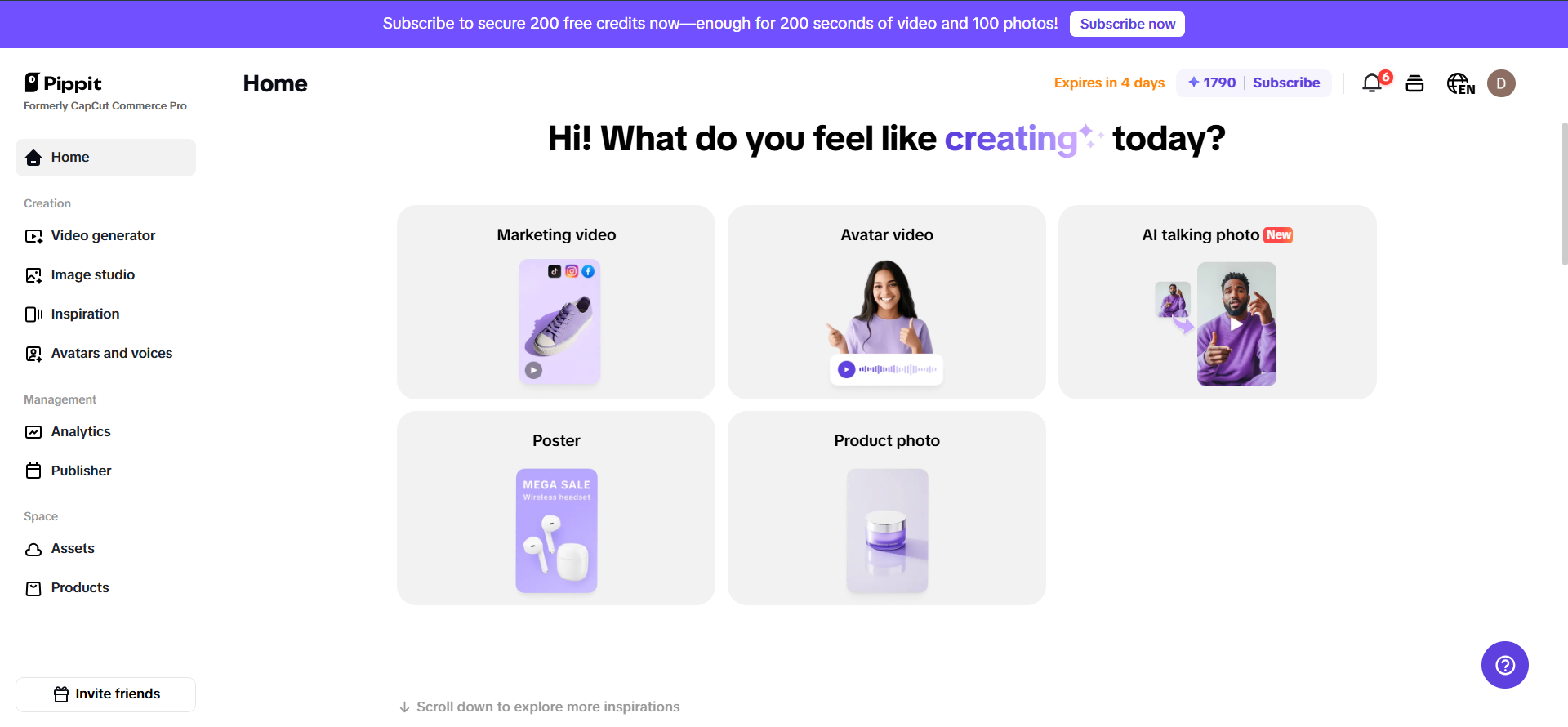
Pippit AI is for businesses and creatives that want to save time and still make sure their brand images are on point. It’s a single platform that makes it easy to manage, resize, and organize your photos. Here’s how to utilize it to make brand assets that are always consistent—similar to how IT asset management ensures all technology resources are tracked, standardized, and optimized across an organization:
Step 1: Gather and upload your brand images
Start by putting all the pictures you use for your brand in one location. This comprises icons, badges, logos with clear backgrounds, product images, and visuals for social networking. Getting things ready makes the next phases go more smoothly. After you get your pictures, send them to Pippit AI. You may quickly bring files from your PC or cloud storage into the program. Pippit AI is made to handle a lot of photos at once, which is great for eCommerce. This makes it easy and quick to manage your brand imagery.
Step 2: Resize your PNG images with the PNG resizing tool for perfect dimensions
After you upload the pictures, choose the ones you wish to resize for your email campaign. Pippit's PNG scaling tool lets you choose the exact size you want. Depending on where the image will be used, you can choose from preset sizes or enter your own. For instance, the size of email headers could be different from the size of product images. By keeping the original aspect ratio and resolution, Pippit AI makes sure that your pictures stay sharp and clear. This resizing that happens naturally keeps your PNGs from becoming stretched or fuzzy, so they look professional on all email clients and devices.
Step 3: Preview, adjust, and save your resized images
Before you finish, use Pippit AI to check how your scaled PNGs will look in your emails. This phase helps you find problems like logos that are too close to the edge or pictures that are too small. Make any changes you need to and then preview again until you're happy. Save your resized pictures when everything looks great. Pippit AI helps you keep your files organized by putting them into folders, which makes it easy to find them for future campaigns. Your photographs are now ready to be exported or published. They are the right size and have been optimized for quick loading and clear display in your email campaigns. With Pippit AI's streamlined method, resizing PNG images is easy and quick, making your email visuals stand out without the usual trouble.
How a PNG resizer supports your brand’s growth
When you use a PNG scaling tool, you are being professional and efficient. This is why it matters:
Saves time: No more guessing or cropping by hand for each platform.
Stops mistakes: Keeps your brand's reputation safe by not letting photographs get fuzzy or stretched.
Supports scaling: You can maintain everything the same with minimal work as your brand expands and you add additional products or channels.
Real-world impact: consistency builds trust
Think about the brands you like best. You can always count on their visuals to appear good. That's not luck; it's because you used the appropriate tools and methods. Pippit's PNG resizing tool helps small businesses look as good as major brands, which helps them stand out and earn customers' trust. Your business seems professional and trustworthy when it has consistent, high-quality brand assets. Customers are more likely to buy from brands that look like they put a lot of attention into how they promote themselves. People who trust you are more likely to buy from you again and tell others about you. You can further strengthen your brand presence when you share your QR code business card, making it easy for customers to access your information, connect with your brand, and engage with you instantly.
Conclusion
For any business that wants to look professional and gain trust online, it's important to make sure that all of its brand assets are the same. You can quickly resize your photos for every platform with tools like Pippit AI and its built-in PNG resizing tool. This will maintain your visuals sharp and make your brand instantly recognized. That consistency is what makes you stand out in a cluttered digital world. You can make sure your brand always looks its best by following these simple steps: collecting your assets, uploading them, resizing them accurately, previewing them, organizing them, and releasing them. This method helps your brand evolve as you move into new markets and platforms. It also saves time and cuts down on mistakes. In short, a PNG resizing is a modest but powerful tool that is very important for making consistent, professional brand materials that will help your business do well in today's digital world.